
View My PIREPs
What Is a PIREP?
A PIREP (Pilot Report) is your official flight record.
After completing a flight and submitting it through ACARS, your PIREP becomes a permanent log of that operation.
This page allows you to review your flight in detail.
What You’ll See on the PIREP Page
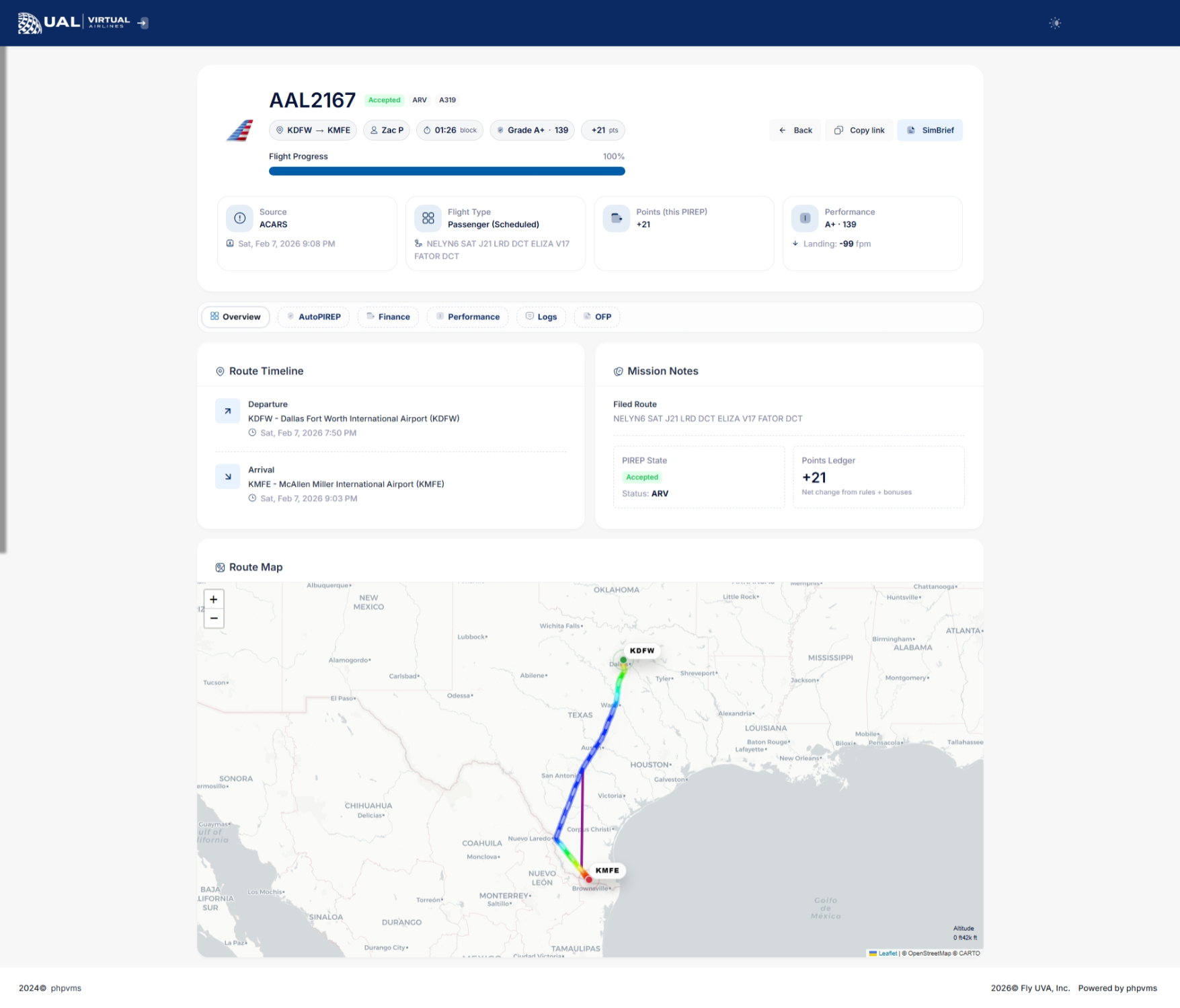
Your PIREP page includes a full breakdown of your flight performance and operational data.
Flight Summary
At the top of the page, you’ll see:
-
Airline and Flight Number
-
Aircraft and Subfleet
-
Departure and Arrival Airports
-
Block Time
-
Route information
-
Submission time
This confirms the basic details of your flight.
Performance Overview
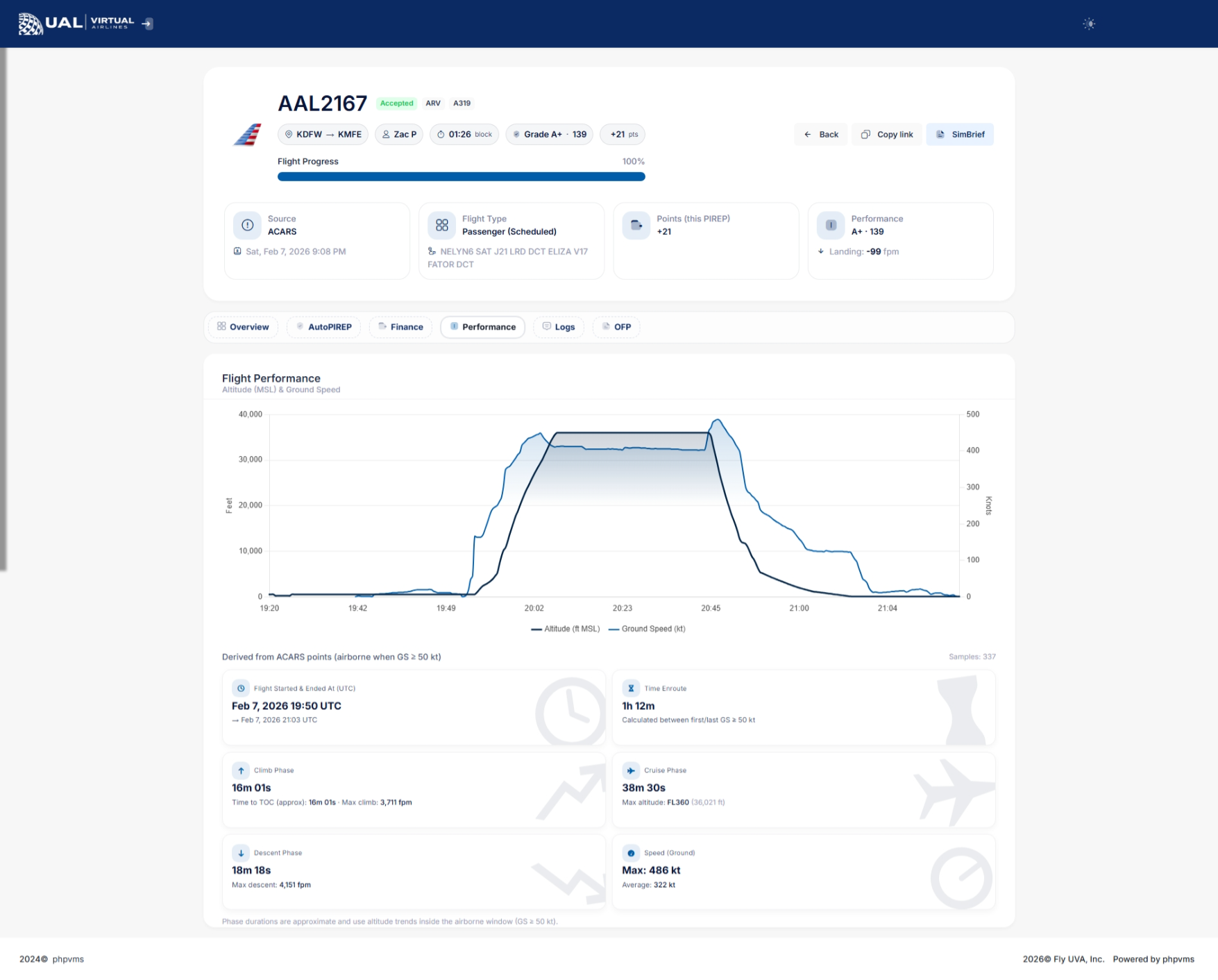
The performance section provides a detailed breakdown of how your flight was evaluated.
Depending on the flight data recorded, you may see:
-
Landing Rate (FPM)
-
Touchdown G-Force
-
Sim Rate Usage
-
Stall Detection
-
Overspeed Monitoring
-
Phase tracking (Climb / Cruise / Descent)
-
Maximum and Average Ground Speed
-
Maximum Altitude (shown as Flight Level)
-
Climb and Descent Rates
-
Time Enroute
This gives you insight into how your flight was scored.
AutoPIREP Grade
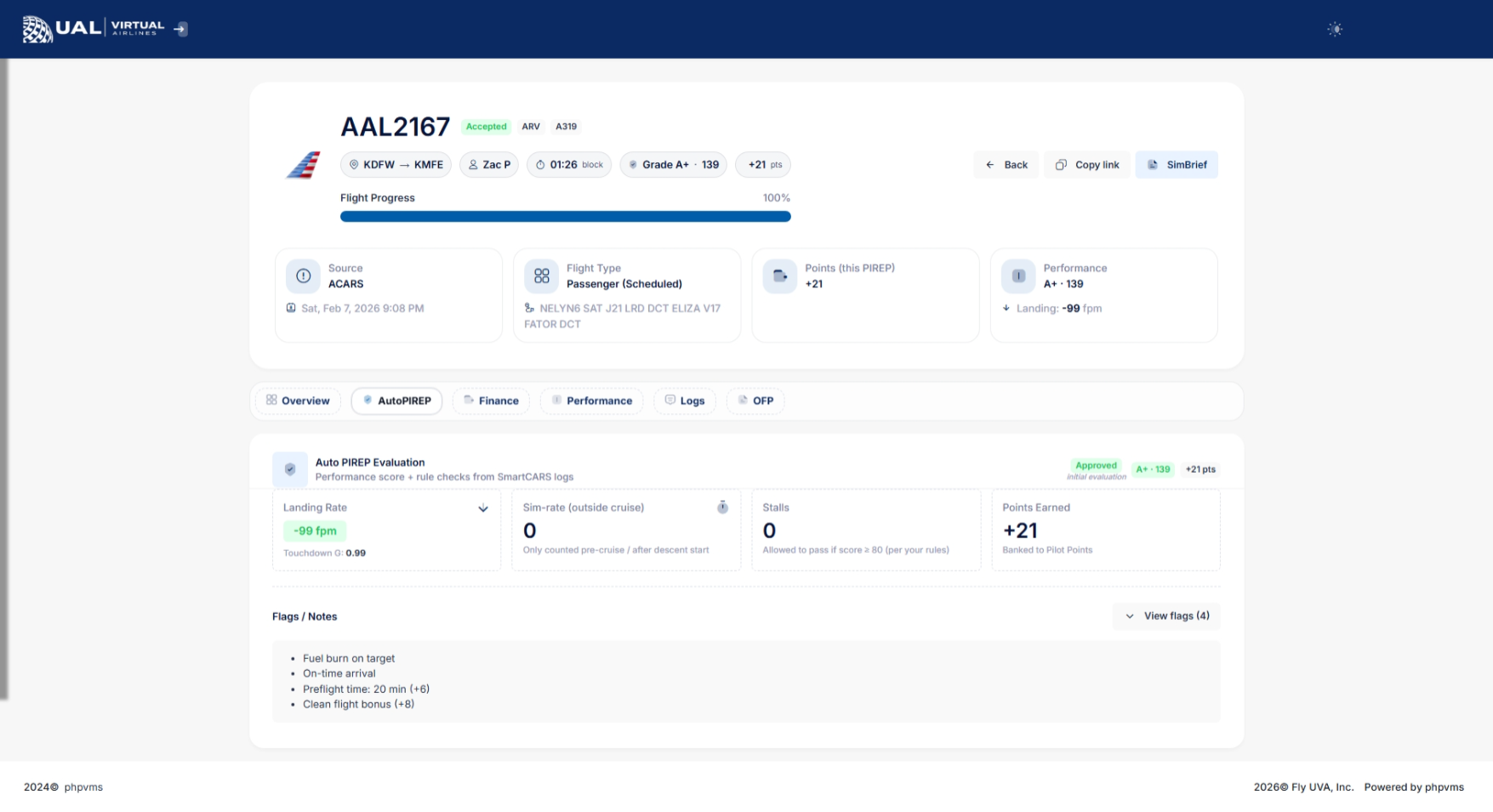
If AutoPIREP grading is enabled, your PIREP will display:
-
Numerical score
-
Letter grade
-
Decision status (Accepted, Pending, or Rejected)
-
Points earned
Flights that meet grading criteria are automatically accepted.
Flights that do not meet criteria may enter Pending Review.
Pending Status & Banked Points
If your PIREP enters pending status:
-
It is temporarily locked for review.
-
Staff cannot immediately modify it.
-
You may have the option to use Banked Points to force-accept the flight.
If available, you’ll see a button allowing you to use 150 banked points to accept the PIREP.
This system gives pilots flexibility while maintaining operational standards.
Flight Phases & Data Tracking
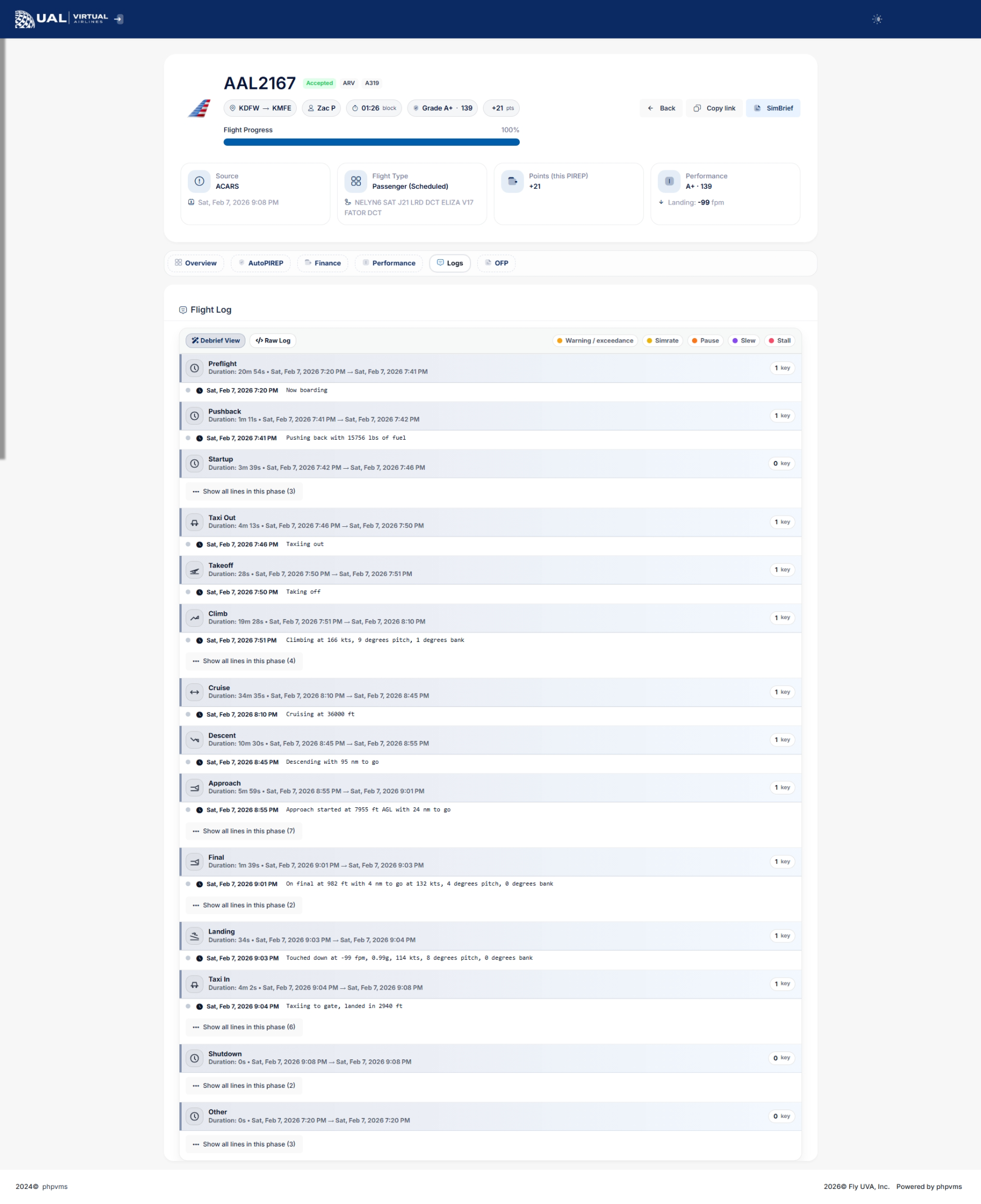
Your PIREP includes detailed phase tracking:
-
Climb phase begins once ground speed exceeds operational thresholds.
-
Cruise phase tracks maximum altitude achieved.
-
Descent phase tracks descent rates until ground speed drops below taxi thresholds.
This ensures realistic phase reporting and accurate performance metrics.
Status Indicators
Each PIREP will display one of the following statuses:
-
Accepted
-
Pending
-
Rejected
-
Cancelled
Status determines whether the flight counts toward hours, awards, tours, and career progression.
Why This Page Matters
Your PIREP page is more than just a record — it is your performance dashboard.
It allows you to:
-
Monitor your flying quality
-
Track landing consistency
-
Improve operational realism
-
Build toward awards, career levels, and achievements
Every flight contributes to your long-term record.