
Trip Generator
What Is the Trip Generator?
The Trip Generator allows you to automatically build a multi-leg trip based on your selected criteria.
Instead of manually searching for individual flights, the system creates a connected sequence of scheduled routes for you.
It is designed to simulate realistic daily aircraft routing.
How It Works
The Trip Generator builds trips using UVA’s published schedules and applies operational rules to ensure:
-
Each leg connects properly
-
The arrival airport of one leg matches the departure airport of the next
-
Minimum ground time is respected
-
The final leg returns to your starting airport
The result is a complete round-trip routing.
Setting Your Criteria
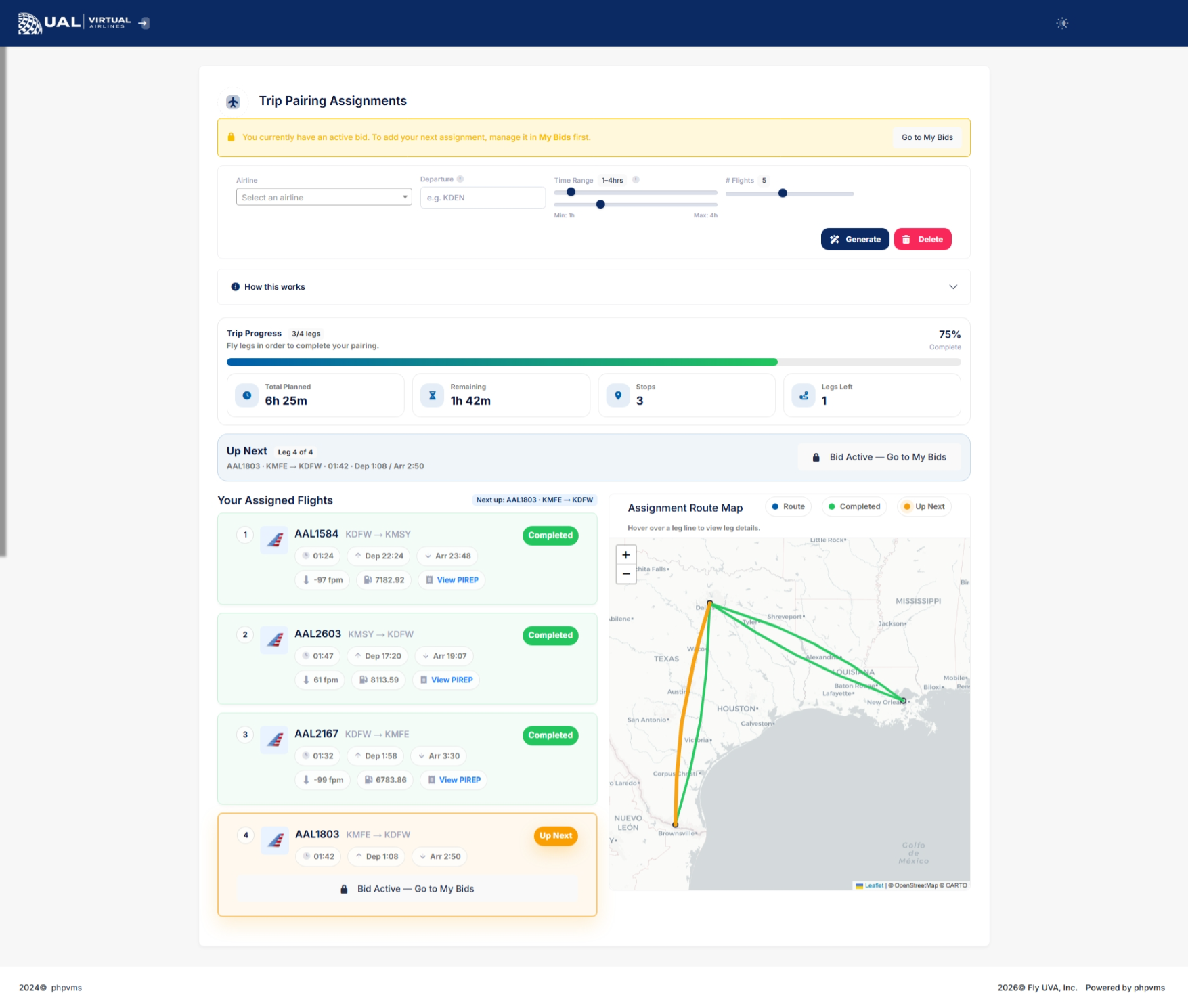
Before generating a trip, you can define:
-
Airline selection
-
Aircraft or subfleet
-
Departure airport
-
Minimum flight time
-
Maximum flight time
These filters allow you to tailor the trip to your aircraft type, available time, and operational goals.
Sequential Routing Logic
Trips are generated using strict sequencing:
-
Leg 1 departs from your chosen origin
-
Leg 2 departs from Leg 1’s arrival airport
-
Each subsequent leg continues the chain
-
Final leg returns to the starting airport
A minimum ground time buffer is enforced between legs to maintain realism.
This ensures your generated trip reflects real-world scheduling logic.
Viewing Generated Trips
Once generated, your trip appears in a structured table showing:
-
Airline
-
Flight number
-
Departure airport
-
Arrival airport
-
Departure time
-
Arrival time
A route map displays the full sequence visually.
Adding Flights to Your Bids
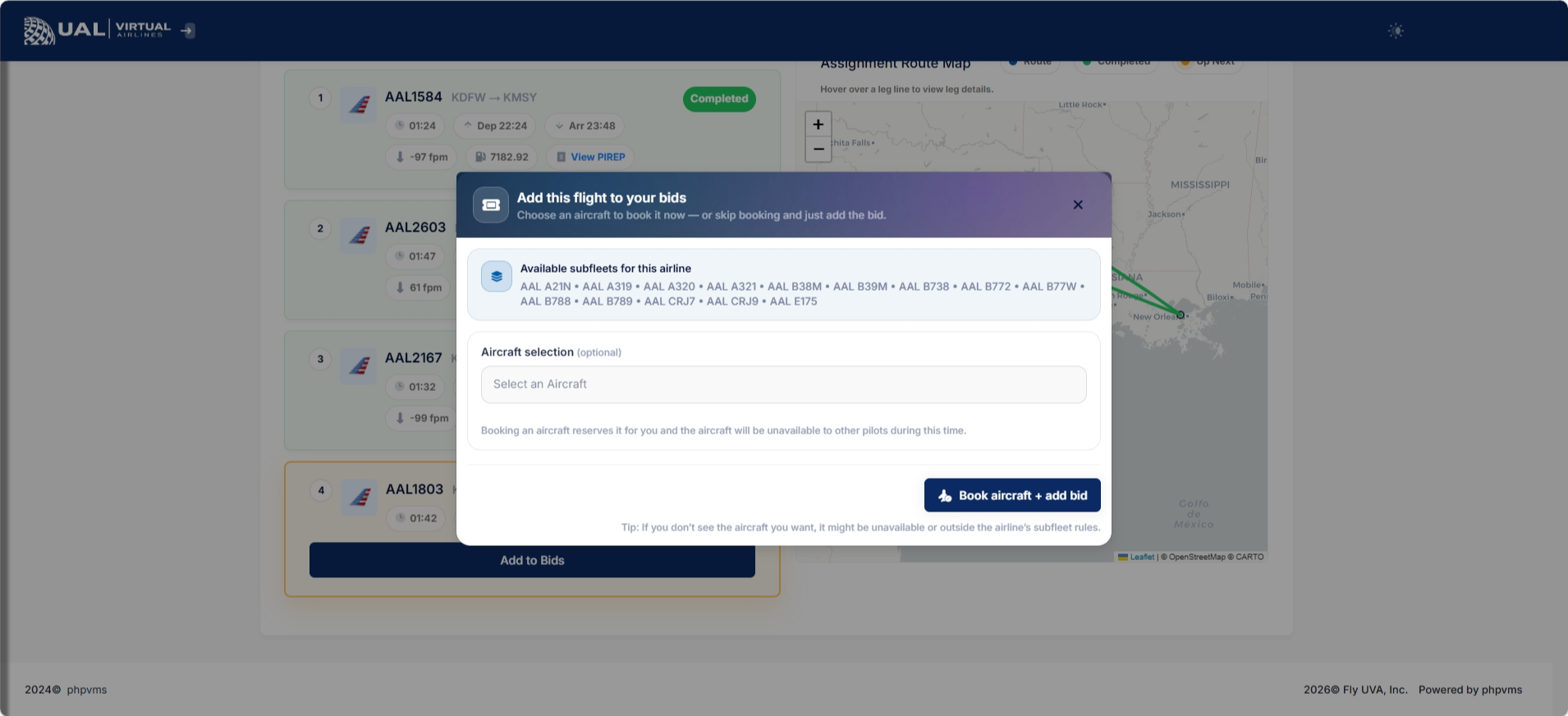
From the generated results, you may:
-
Add individual legs to your bids
-
Remove specific legs
-
Add the full trip to your bids
Because UVA allows only one active bid at a time, you must complete each leg sequentially.
Operational Requirements
Generated trips must still comply with:
-
Aircraft restrictions
-
AutoPIREP grading standards
-
One-active-bid policy
The Trip Generator does not override operational policies.
Why Use Trip Generator?
Trip Generator is ideal when you:
-
Want a realistic multi-leg day of flying
-
Prefer structured aircraft routing
-
Want to simulate airline-style daily rotations
-
Don’t want to manually search each leg
It blends automation with operational realism.
After Completing a Leg
Once a leg is flown and accepted:
-
Your bid clears
-
You may proceed to the next leg in the sequence
If a PIREP enters Pending status, the trip progression pauses until resolved.