
View My PIREPs
AccessingWhat
PIREPsIs anda Logbook
ToA review and access your PIREPsPIREP (Pilot Reports),Report) navigateis your official flight record.
After completing a flight and submitting it through ACARS, your PIREP becomes a permanent log of that operation.
This page allows you to review your profileflight in detail.
What You’ll See on the crewPIREP website.Page
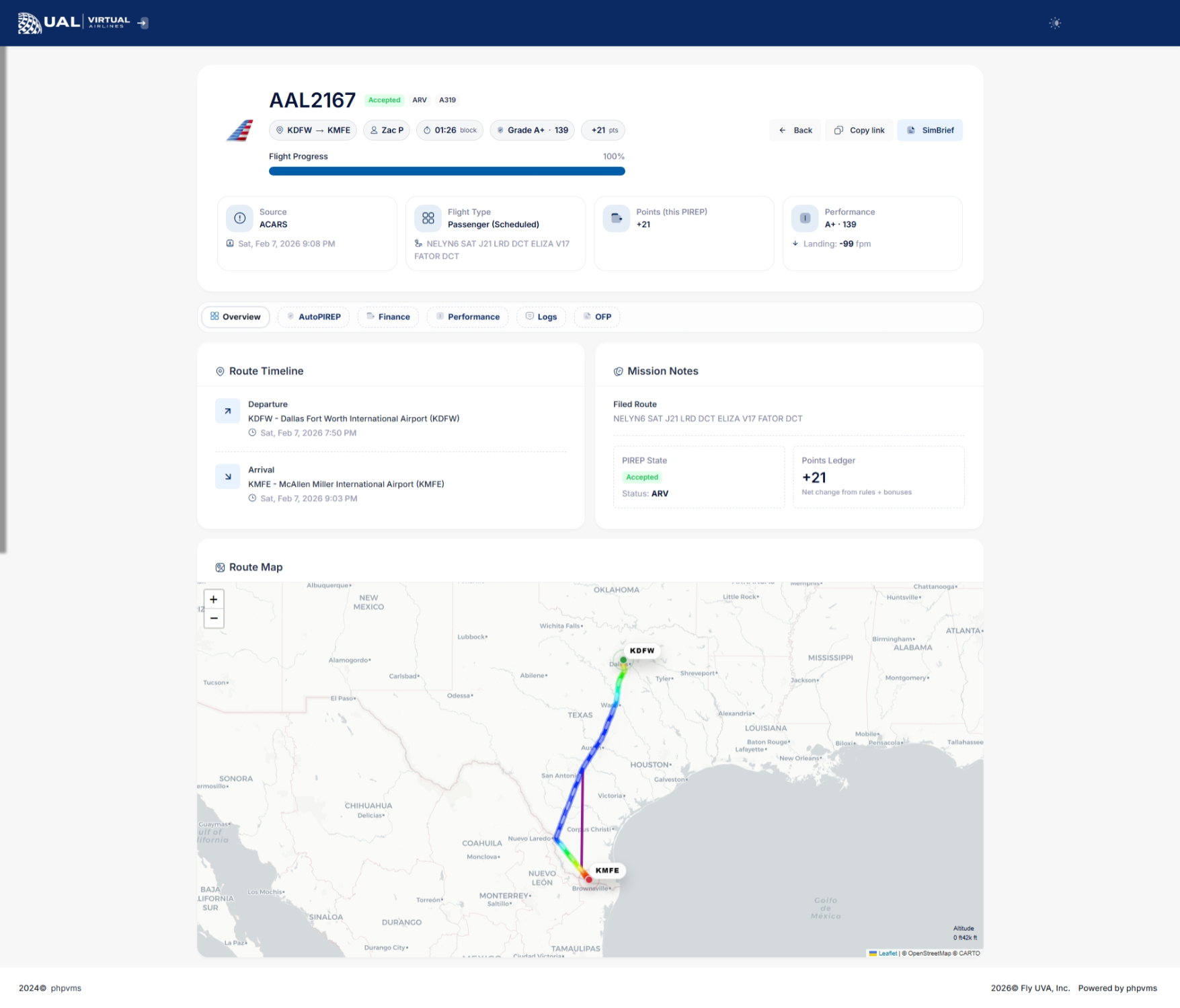
UponYour reachingPIREP yourpage profile page, locate your logbook stored at the bottom section. Here, you can conveniently review and manage your PIREPs, providingincludes a comprehensivefull overviewbreakdown of your flight historyperformance and accomplishments.operational data.
Flight Summary
ReviewingAt Logbookthe Entries
In your logbook, each rowtop of the tablepage, correspondsyou’ll tosee:
-
Airline and Flight Number
-
Aircraft and Subfleet
-
Departure and Arrival Airports
-
Block Time
-
Route information
about -
pastSubmission
flights.timeIf
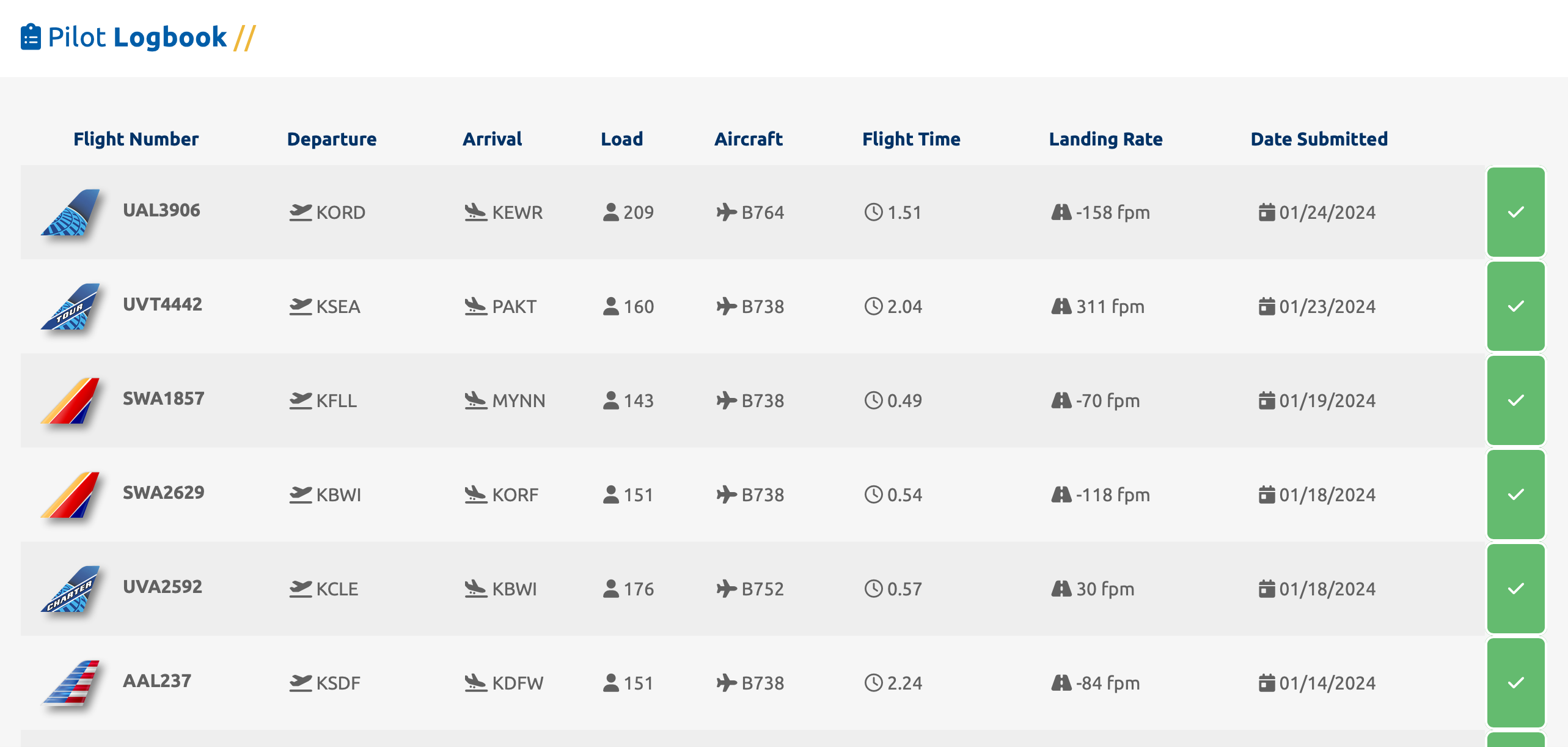
This to delve deeper into a specific flight, clicking onconfirms the flightbasic number will redirect you to the associated PIREP (Pilot Report). This feature provides a more detailed and comprehensive overview of the selected flight, offering insights into various aspectsdetails of your aviation experiences.
 | |
 | |
 |
PIREP Details
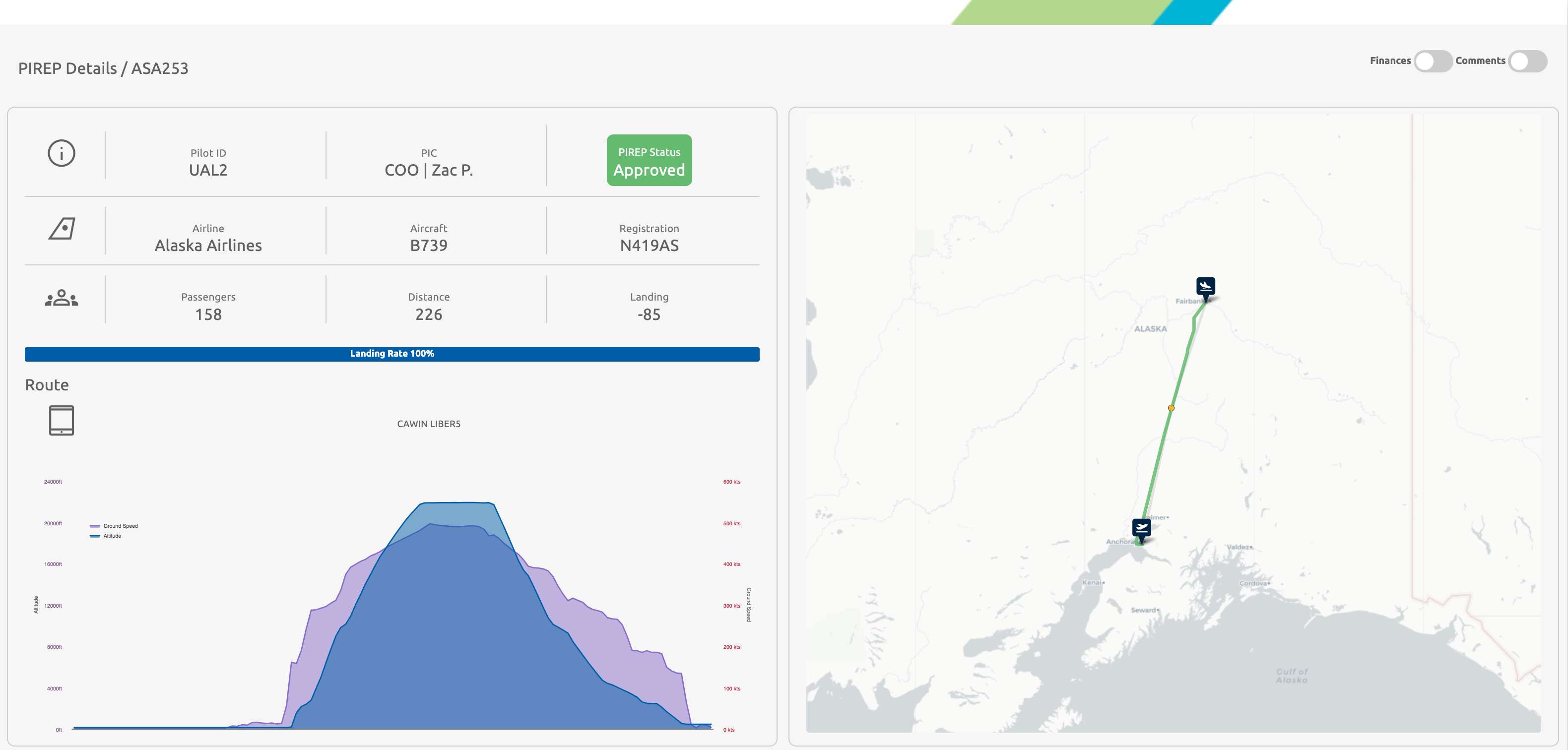
PIREP Details: ASA253 Example
Examining the recent flight ASA253 in our logbook, the top-left of the screen highlights crucial details of the flight, including Aircraft, Airline, Distance, and Landing Rate.
Adjacent to this information is the flight map, providing a visual representation of the journey. The yellow dots signify various waypoints or fixes that were entered into the route box in SmartCARS. The green line accurately depicts the flown route during the course of the flight. This graphical representation enhances the understanding of the flight path and waypoints for a more comprehensive review.
FinancialsPerformance Overview
Financial Breakdown: Revenue and Expenses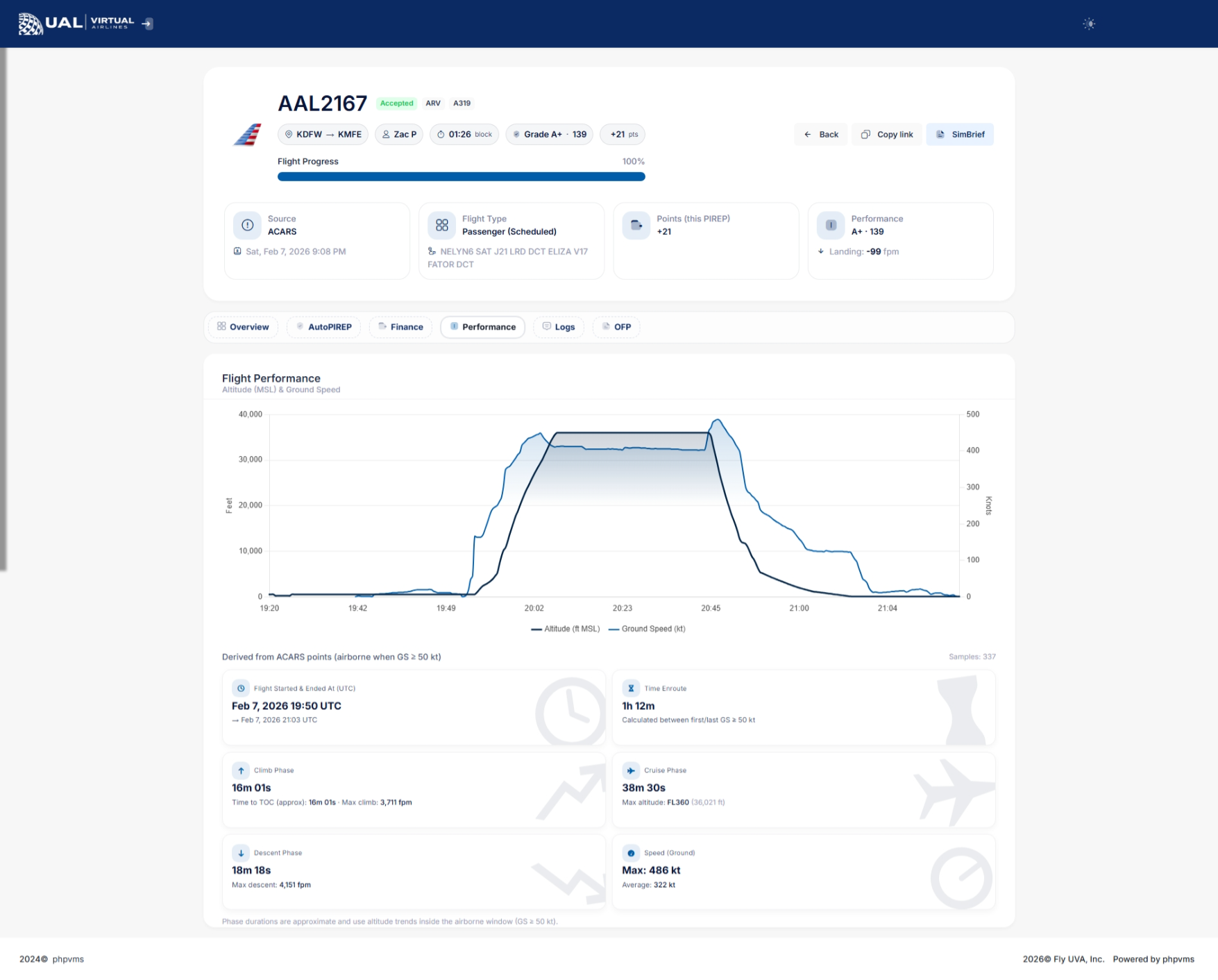
ForThe everyperformance flightsection completed, a financial outcome is determined, indicating either a revenue gain or loss. To accessprovides a detailed breakdown of thesehow financials,your toggleflight was evaluated.
Depending on the "Finances"flight data recorded, you may see:
-
Landing Rate (FPM)
-
Touchdown G-Force
-
Sim Rate Usage
-
Stall Detection
-
Overspeed Monitoring
-
Phase tracking (Climb / Cruise / Descent)
-
Maximum and Average Ground Speed
-
Maximum Altitude (shown as Flight Level)
-
Climb and Descent Rates
-
Time Enroute
This gives you insight into how your flight was scored.
AutoPIREP Grade
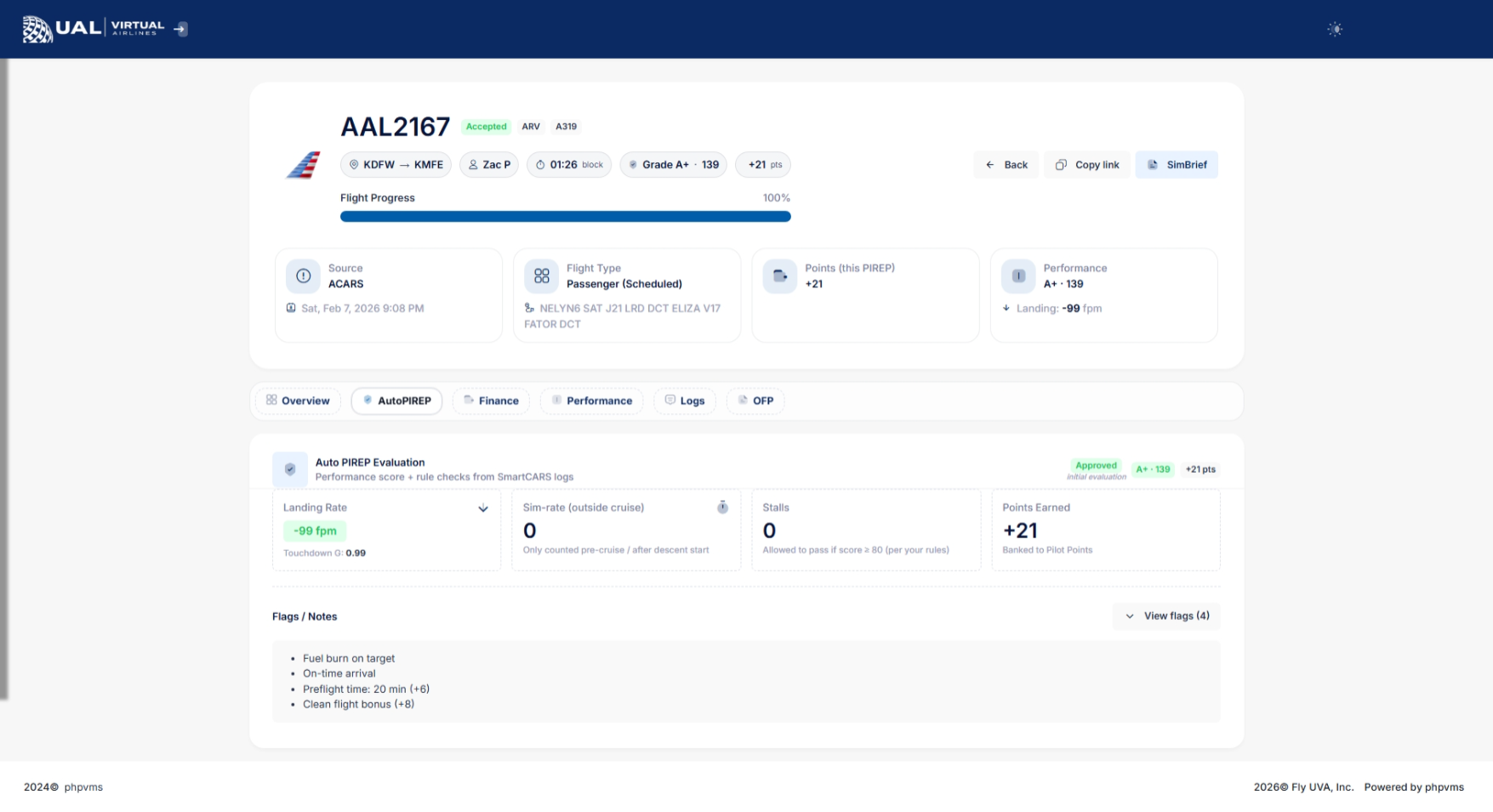
If AutoPIREP grading is enabled, your PIREP will display:
-
Numerical score
-
Letter grade
-
Decision status (Accepted, Pending, or Rejected)
-
Points earned
Flights that meet grading criteria are automatically accepted.
Flights that do not meet criteria may enter Pending Review.
Pending Status & Banked Points
If your PIREP enters pending status:
-
It is temporarily locked for review.
-
Staff cannot immediately modify it.
-
You may have the option
locatedtoinuse Banked Points to force-accept theupper-rightflight.corner
If available, you’ll see a button allowing you to use 150 banked points to accept the PIREP.
This system gives pilots flexibility while maintaining operational standards.
Flight Phases & Data Tracking
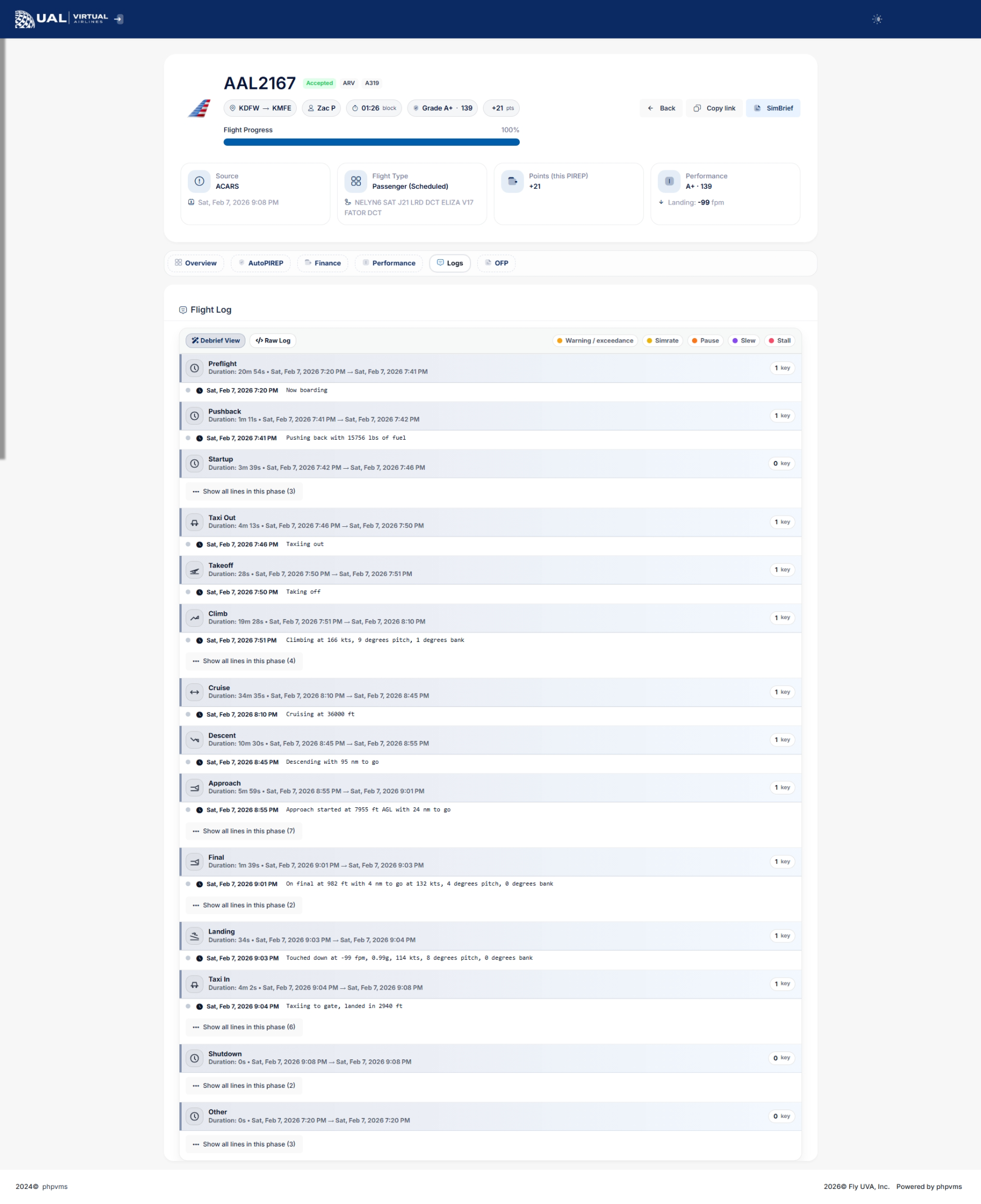
Your PIREP includes detailed phase tracking:
-
Climb phase begins once ground speed exceeds operational thresholds.
-
Cruise phase tracks maximum altitude achieved.
-
Descent phase tracks descent rates until ground speed drops below taxi thresholds.
This ensures realistic phase reporting and accurate performance metrics.
Status Indicators
Each PIREP will display one of the page.following This feature provides valuable insights into the financial aspects of each flight, contributing to a comprehensive understanding of your overall economic performance as a pilot.statuses:
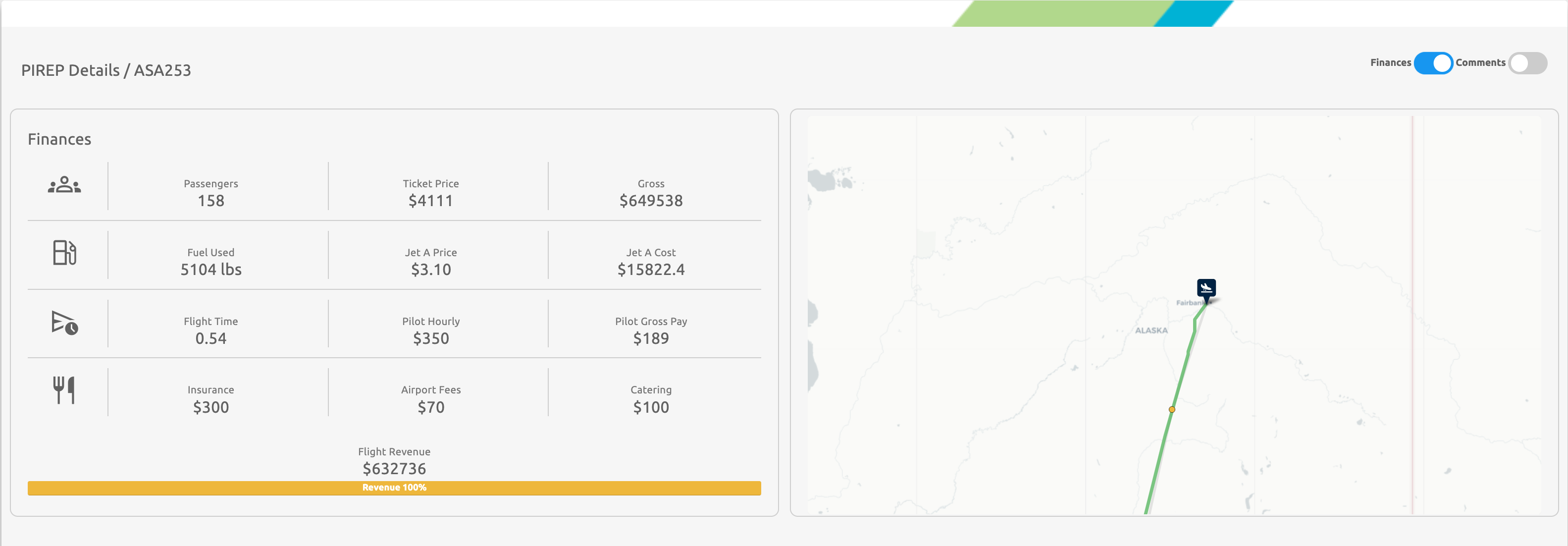
Financial Breakdown: Revenue DetailsPending
Within the "Finances" section, you'll find a breakdown of your revenues. This detailed breakdown includes information about the number of passengers carried, ticket prices per passenger, and fuel consumption for the specific flight.Rejected
To close this popup window, simply click on the coin icon again.Cancelled
It's
Additionally,Status clickingdetermines on the tablet icon under the Route section will open a pop-up displaying a detailed log of your flight. This log encompasses all the information sent by SmartCARS to our system, providing an in-depth overview of your flight's data.
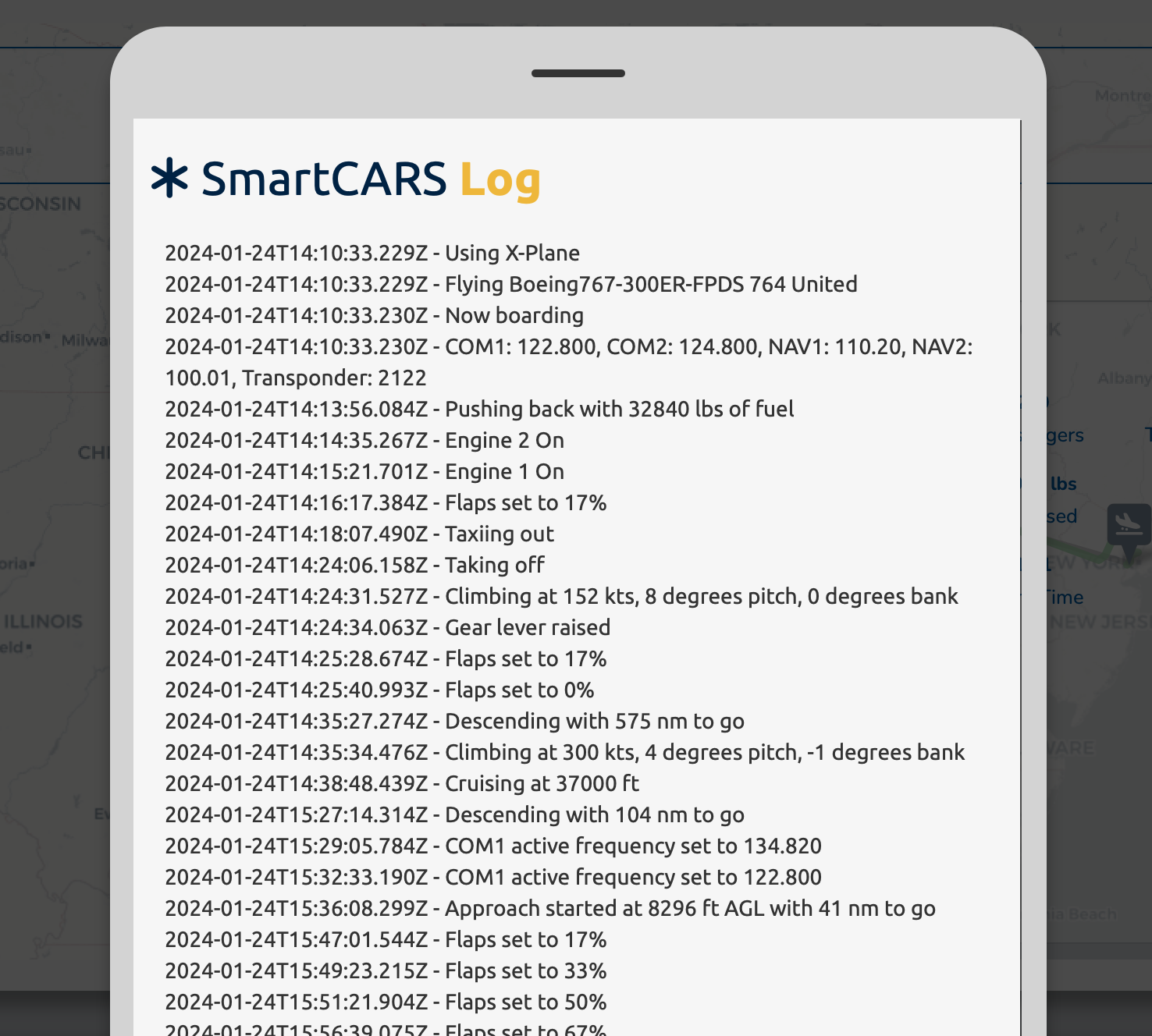
Clicking anywhere outside of this popup will close it.
Graphs
Flight Graphical Representation
In addition to detailed financial breakdowns and logs, a graphical representation of your flight is available on this page. This visual representation provides an intuitive and illustrative overview of your flight's trajectory, and key data points. This graphical feature enhances the comprehension of your flight experience, allowing for a more immersive and informative review of your aviation endeavors.
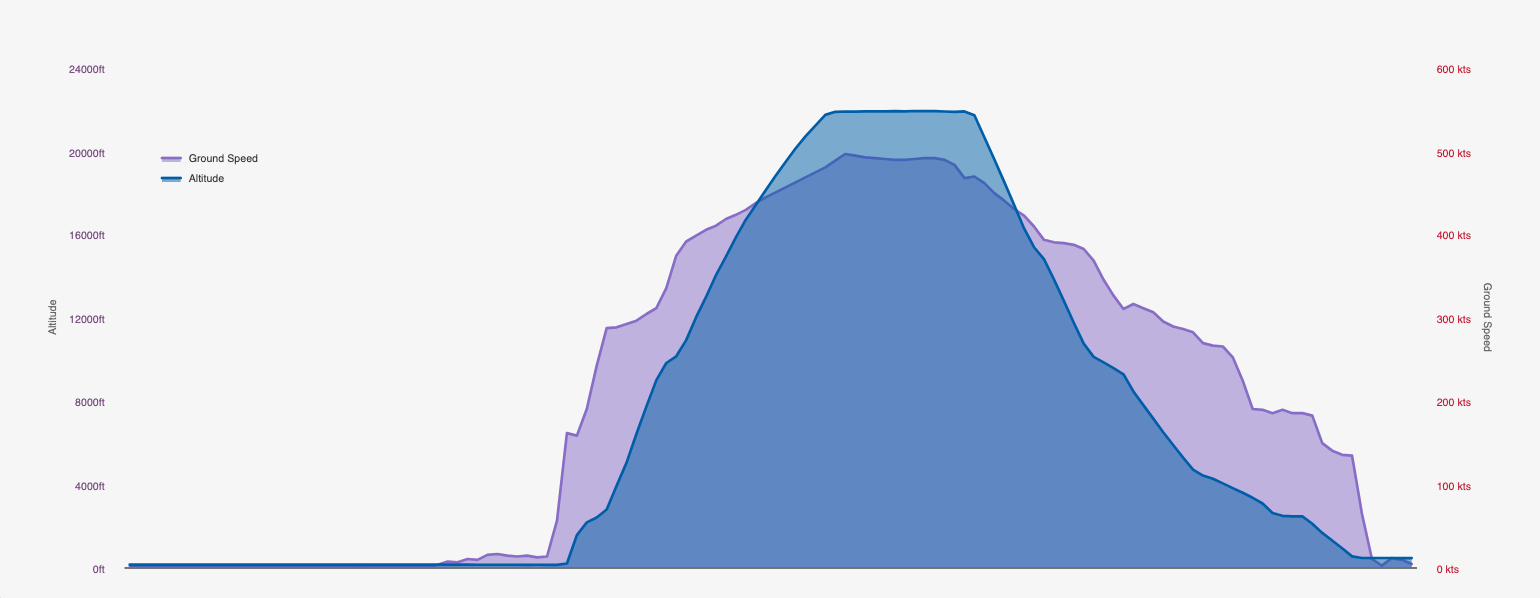
Flight Graphical Representation: Ground Speed and Altitude
Within the graphical representation of your flight, ground speed is visually represented by the purple color, while altitude is denoted by the blue color. This color-coded display offers a clear and concise visualization of how ground speed and altitude varied throughout different phases of your flight. Analyzing this information adds depth to your understanding ofwhether the flight dynamicscounts toward hours, awards, tours, and cancareer provide insights into specific events or milestones during the journey.progression.
PIREPWhy
CommentsThis Section
The final section on theYour PIREP page is dedicatedmore than just a record — it is your performance dashboard.
It allows you to:
-
Monitor your flying quality
-
Track landing consistency
-
Improve operational realism
-
Build toward awards, career levels, and achievements
Every flight contributes to comments. To view comments, toggle the "Comments" option in the upper-right corner of the page. Any comments left by staff members will be visible in this section.
In the event that you receive a comment on your PIREP,long-term you will also receive an email notification. This ensures that you stay informed about feedback and comments provided by the staff, contributing to a transparent and collaborative pilot experience.record.

Visibility of PIREP Comments
The comments section also lists any comments you've made in the SmartCARS application in the comments field. It's essential to note that comments are only visible to yourself and staff members. This restricted visibility ensures privacy and confidentiality for the communication exchanged within the comments section of the PIREP, fostering a secure and professional interaction between pilots and staff members.