
Free Flights
EmbraceFree
theFlightsFreedomWhat
ofAre Free Flight Operations:
Dive into the realm of limitless possibilities with our Free FlightFlights Operations.allow Here'syou to create and fly a glimpsecustom route that is not part of the freedompublished thatschedule.
This you:feature gives you flexibility while still operating within UVA’s structure and tracking system.
If you want to fly something different from the schedule — this is where you do it.
When Should You Use Free Flights?
Use Free Flights when:
-
wantUnrestrictedYouChoices:- to
Schedule flightsfly betweenanytwo airportsofnotyourconnectedchoice,byprovidingathepublishedflexibility to explore destinations beyond our scheduled flights.
-
PersonalizedYouAdventures:are repositioning an aircraft.Craft your unique flying experience by selecting departure and arrival points based on your preferences and aviation aspirations.
-
HowYou want toBegin:simulate a charter-style route.Navigate to Free Flight Operations on our platform.
-
areSeamlessYouIntegration:Enjoyflying aseamlesslytrainingintegratedorsystempersonalthatpracticeempowersflight.you-
designYou
yourwantownmoreflightflexibilityadventures withinthan thevastschedulevirtual skies.
to
How It Works
Unleash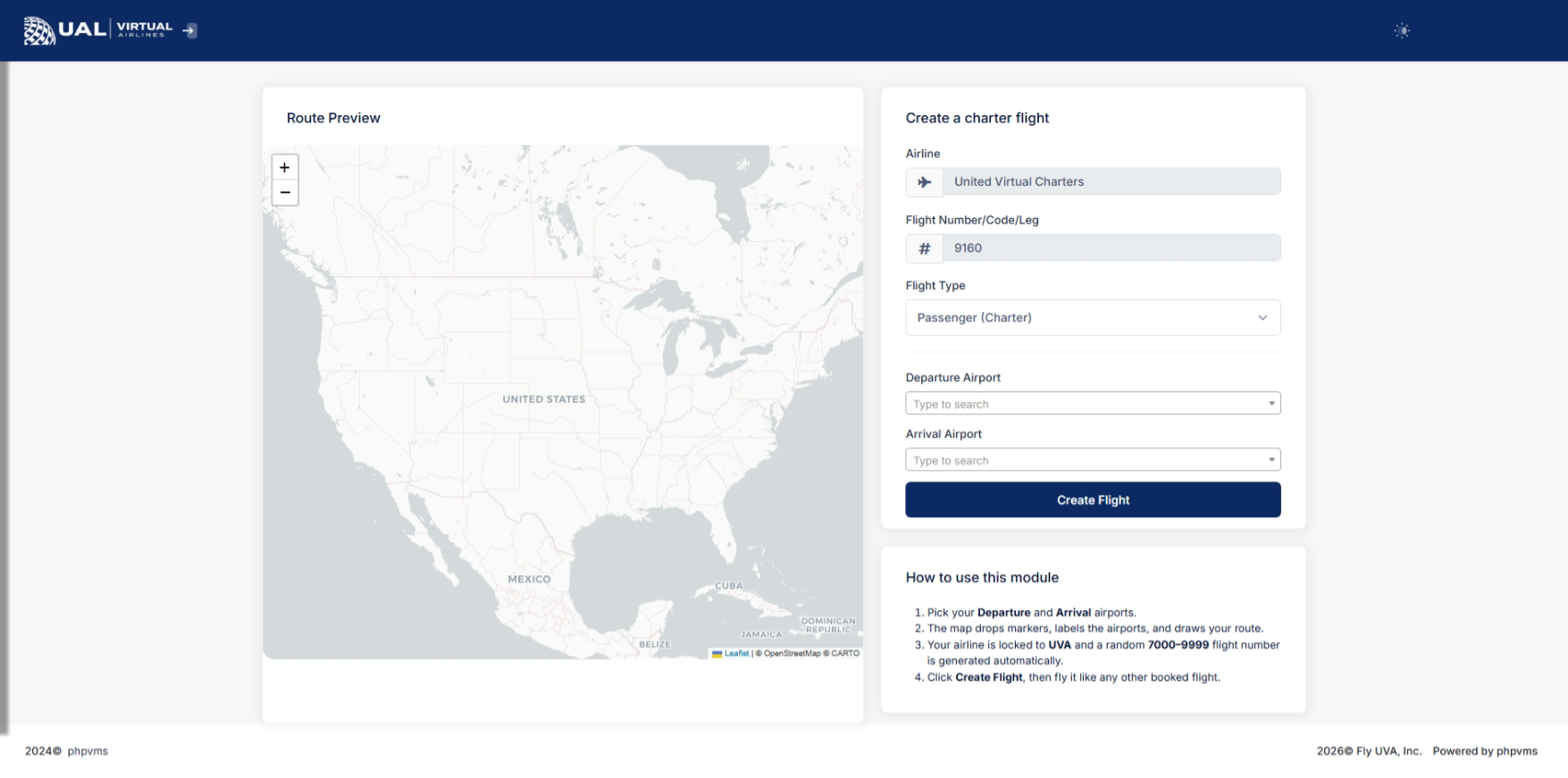
On aviation spirit and embark on personalized journeys withthe Free Flight Operations, where the sky is not the limit; it's just the beginning.
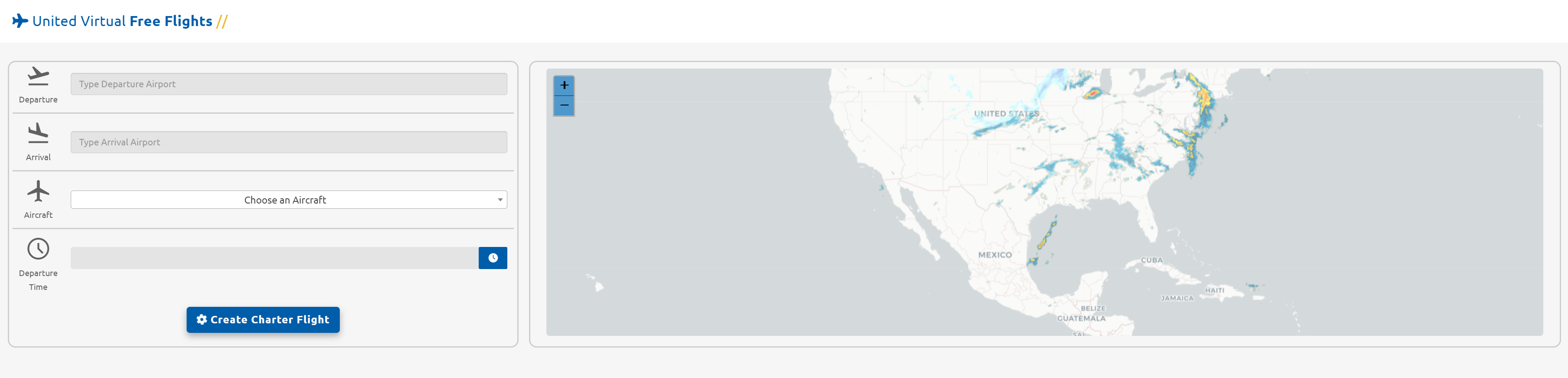
Embarking on your customized flight journey is a breeze with our user-friendly Free Flights system. Here's a straightforward guide to getpage, you started:
Information Input:Locate the top section of the screen to effortlessly input the essential details required for creating your unique flight.
Feel empowered as you take charge of your aviation experience. The straightforward interface ensures a hassle-free process for initiating your personalized flights with ease.
Departure
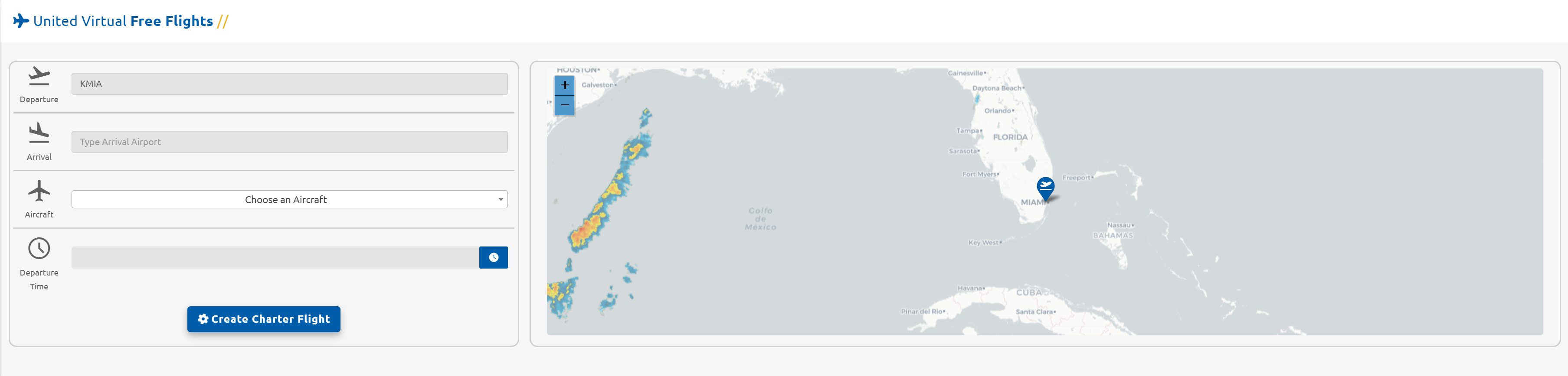
Precision in Action: Setting Your Departure Point
Watch your aviation aspirations take flight as you wield control over your journey. In this example, envision the seamless process of designating your departure point:
Input KMIA:Begin by typing "KMIA" into the departure field. Witness the map instantly respond with a marker, proudly adorned with an airplane departing icon.
Empower your flight planning with our intuitive system, where every keystroke brings you closer to your aerial adventure.
Arrival
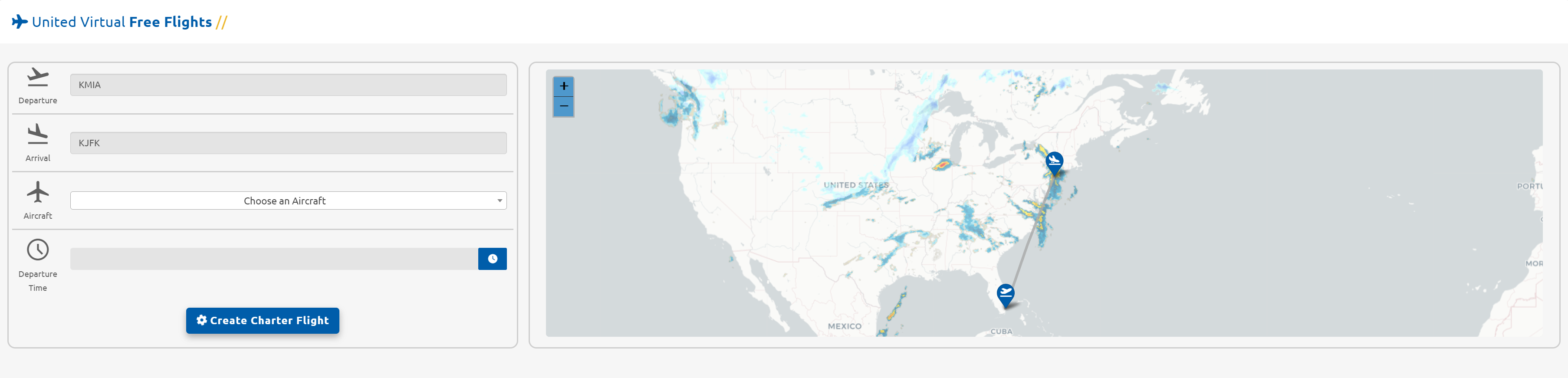
Guiding Your Flight Path: Defining Arrival Destination
Embark on the next phase of your aviation odyssey with precision and ease. Follow these steps in our user-friendly system to set your arrival point:
Type KJFK:Progress by typing "KJFK" into the arrival field. Behold as the map meticulously illustrates your arrival airport, accentuated by an aircraft arriving icon. Notice a clear line materializing, elegantly connecting the two chosen airports.
Experience the gratification of shaping your flight path effortlessly, as every command aligns your journey with unparalleled accuracy.
Aircraft
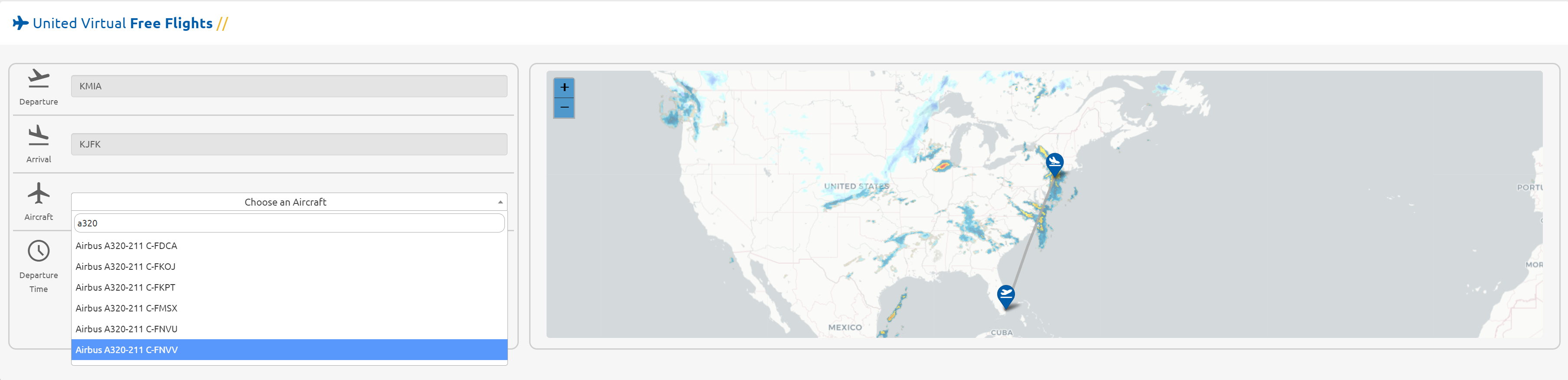
Embark on the crucial decision of selecting the ideal aircraft for your upcoming flight. Our extensive database of over 8,000 aircraft awaits your command. Here's how to make your choice:will:
-
InitiateEnterAircraftaSelection:Departure Airport (ICAO)Begin typing the name of the desired aircraft into the dedicated field. Witness the dropdown menu unfolding gradually as our system meticulously presents the diverse array of options at your fingertips.
-
ExerciseEnterPatience:an Arrival Airport (ICAO)Given the vastness of our database, the dropdown may take a moment to comprehensively load. Demonstrate your aviator's composure and allow the system the time it needs to unveil the multitude of aircraft possibilities.
ElevateOnce created, the flight becomes your flightactive experiencebid.
From pilotingthere, the aircraftprocess of your choosing, where every model stands ready to become an integral part of your aviation narrative.
Departure Time
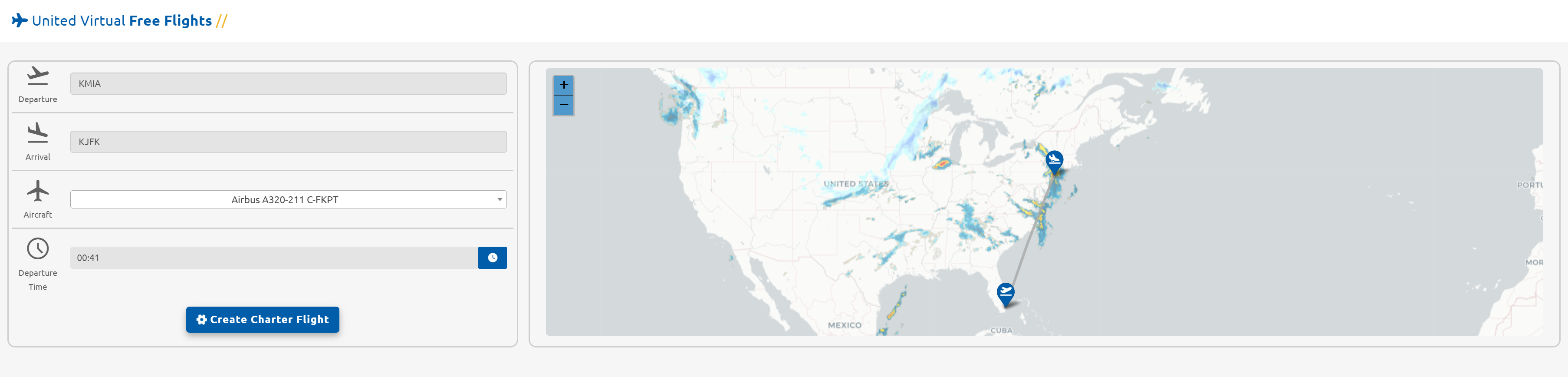
Temporal Precision: Crafting Your Departure Time
Invoke the Time Selector:flight:ClickonFly the
time icon, triggering the emergence of the time selector. This tool becomes your ally in orchestrating the exact moment your flight embarks on its journey.
-
Hourly and Minute Mastery:InLog thetime selector, meticulously pick the hours and minutes that align with your envisioned departure time. Exercise precision in this temporal ballet to synchronize yourflightwiththroughthe broader aviation symphony.
-
ZuluSubmitTimeyourUnveiled:PIREP TakenoteUse aircraft that
departure times operateexist inZuluthetime,UVAoffering a standardized temporal framework for aviation coordination, irrespective of your local time zone.-
FinalizeFollowYourrealisticFlightroutingCreation:and operational standards. -
Comply with all PIREP grading and AutoPIREP criteria.
HavingcuratedPulled
yourdirectlydeparturefromtimeUVA’swithpublishedfinesse,schedule.seal-
dealUsed
byforclickingstructuredtheroutebluerealism."Create -
button.May
This action seamlessly integrates your flighttie intoyourToursbids,orpavingEvents.the way for the subsequent generation of your flight plan on the Dispatch page. -
Fully customizable within system limits.
Important Operational Notes
Free Flights must still:
Free Flights do not override operational policies.
Free Flights vs Scheduled Flights
Scheduled Flights:
Free Flights:
MoreDesigned informationfor onflexibility Dispatchand canpilot be foundpreference.
Ideal for exploration or repositioning.
Both are tracked and graded through the same system.
After You Create a Free Flight
Once created:
-
It becomes your active bid.
-
You cannot create another flight until it is completed or removed.
-
You will fly and submit your PIREP normally.
If your PIREP is placed into pending status, your bid will remain active until processed.