
Events on Crew Website
Events
What Are Events?
Events onare Dashboard
organized flights hosted by UVA staff. These may include:
-
EffortlessGroup Flights -
VATSIM Events
-
Community Fly-Ins / Fly-Outs
-
Special Operations Flights
-
Tour Launch Events
-
Training Sessions
Events are designed to bring pilots together and create a more immersive and social flying experience.
Events Overview Page
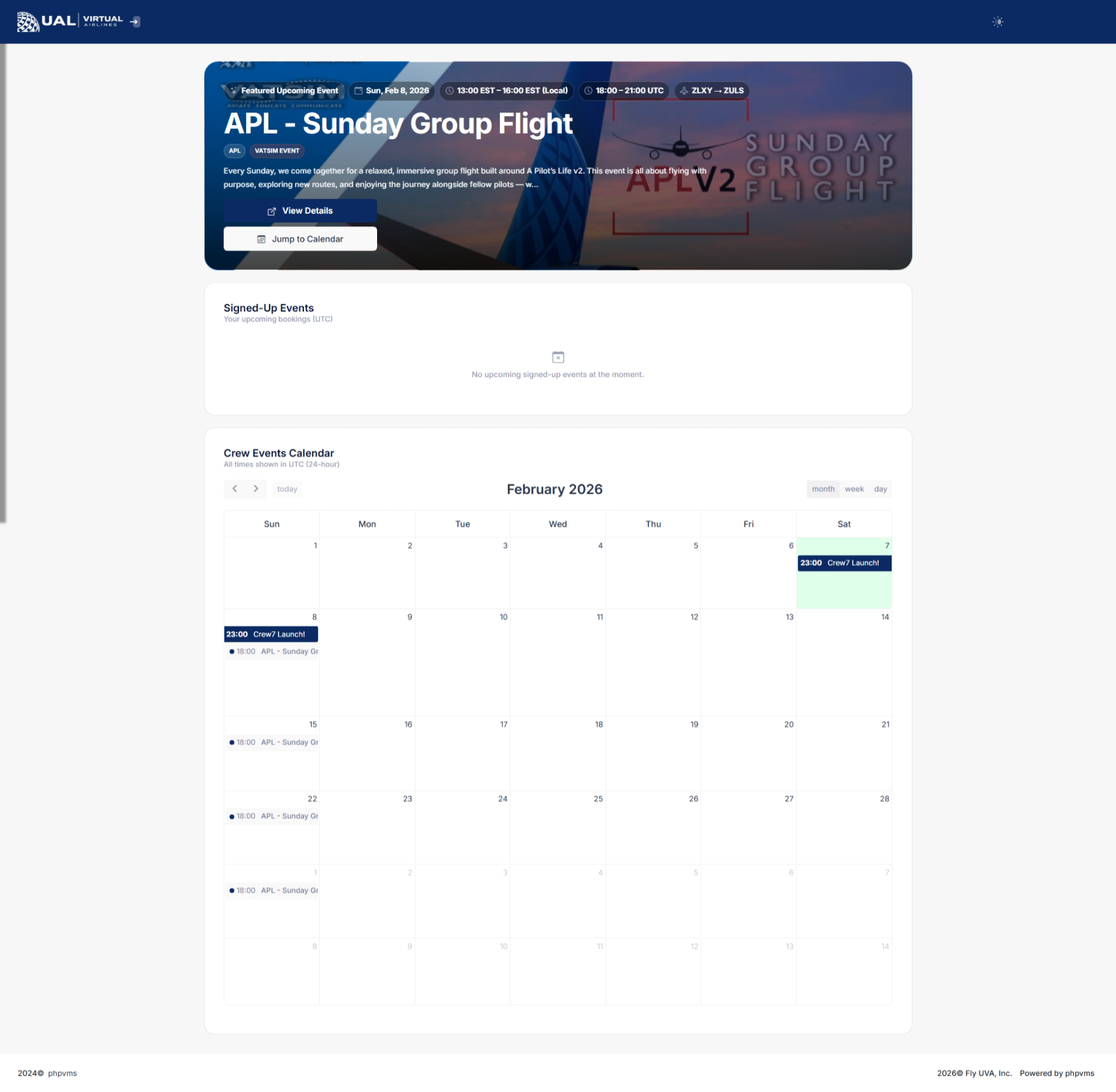
On the main Events page, you will see:
-
A list of all upcoming and active events
-
Event
Engagement:Staynameupdatedandondescriptionour -
Event date and time
-
Departure and arrival airports
-
Aircraft requirements (if specified)
-
Status indicators (upcoming, active, completed)
You can select any event scheduleto throughview twofull accessibledetails.
Event ourDetails crewPage
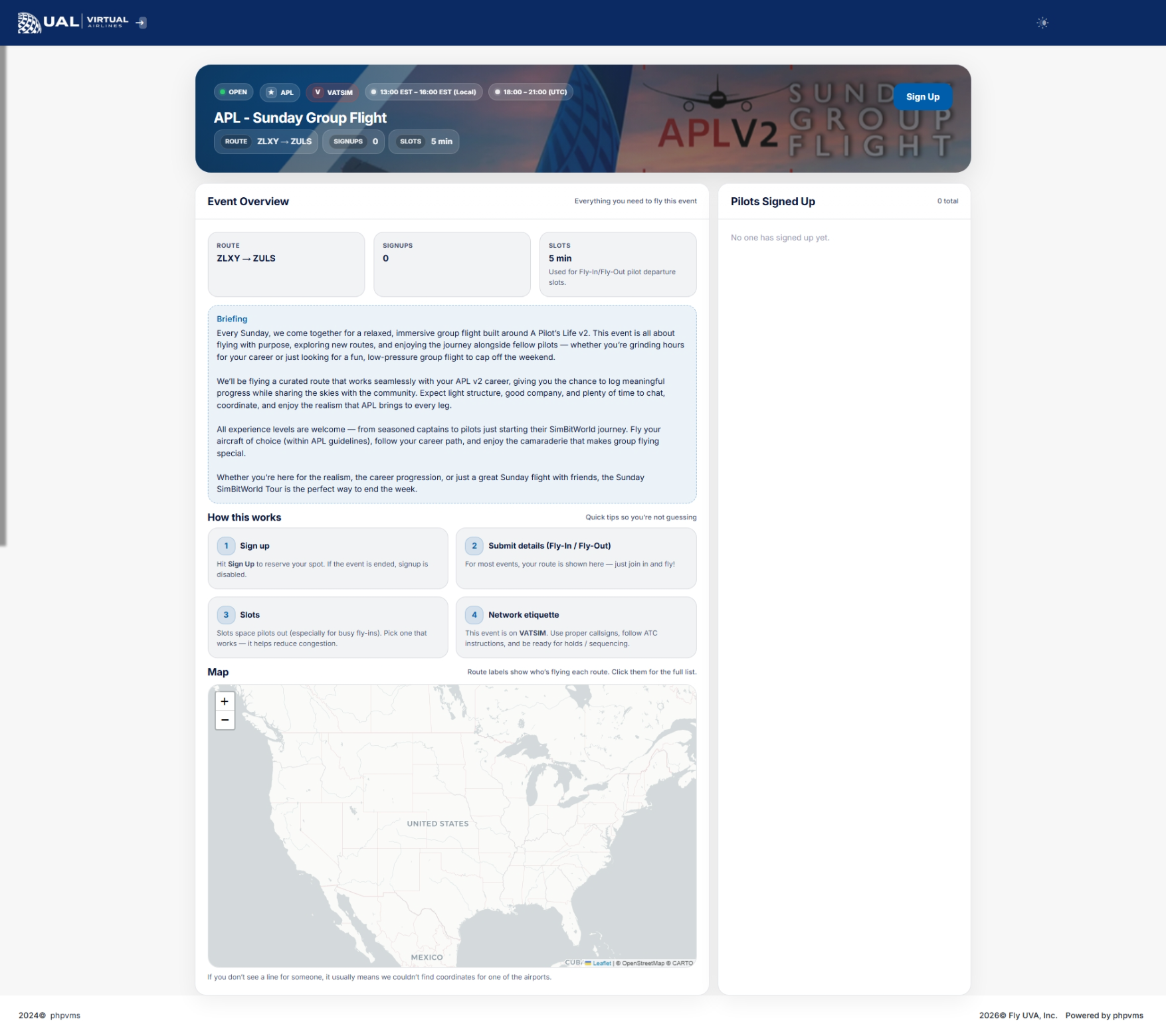
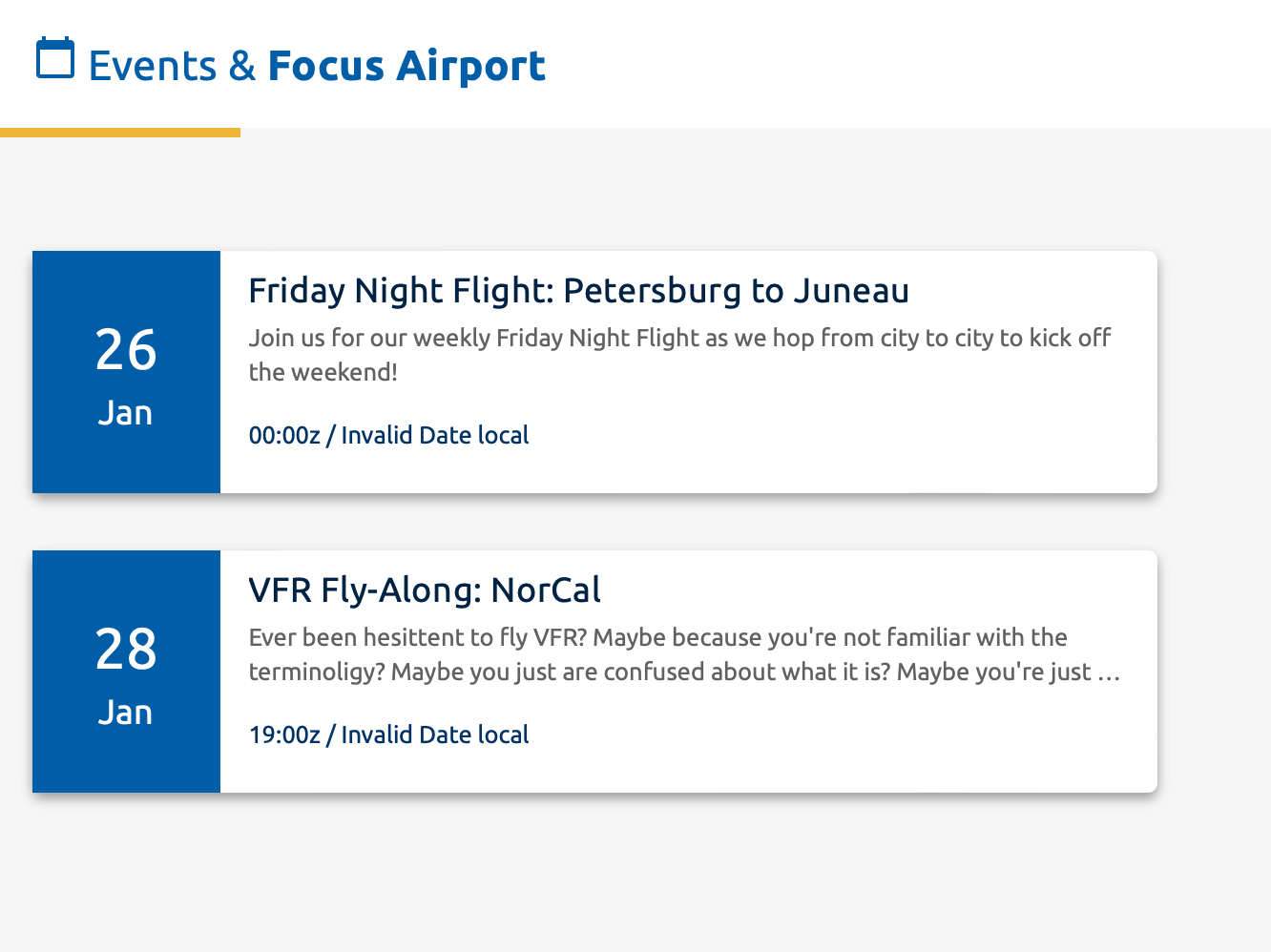
DashboardWhen Insights:you Uponopen loggingan in,event, exploreyou’ll thesee:
-
FocusFull
Airport'eventsectiondescription -
Scheduled departure time
-
Route information
-
Approved aircraft (if restricted)
-
Any special instructions or briefing notes
-
Participation options
This page serves as your event briefing.
Be sure to review all instructions carefully before flying.
How Participation Works
Depending on the dashboard.event Thisstructure:
-
You may be required to bid the associated flight.
-
You may need to fly a
previewspecificofaircraftupcomingorevents,subfleet.providing -
quickSome
overvieweventsofmaytherequirenextVATSIMplannedparticipation.activities. -
simpleCertain
clickeventsonmayanytie into tours, awards, or bonus points.
If an event directshas youspecial toparticipation itsrules, detailedthey page,will ensuringbe youclearly are well-informed.
Events Calendar
Navigate to the 'Activities' sectionlisted on the sidebar and select 'Events' to unveil the events calendar. Days with scheduled events are highlighted, and you can effortlessly switch between months using the intuitive arrow buttons. Clicking on a specific date reveals the event details.
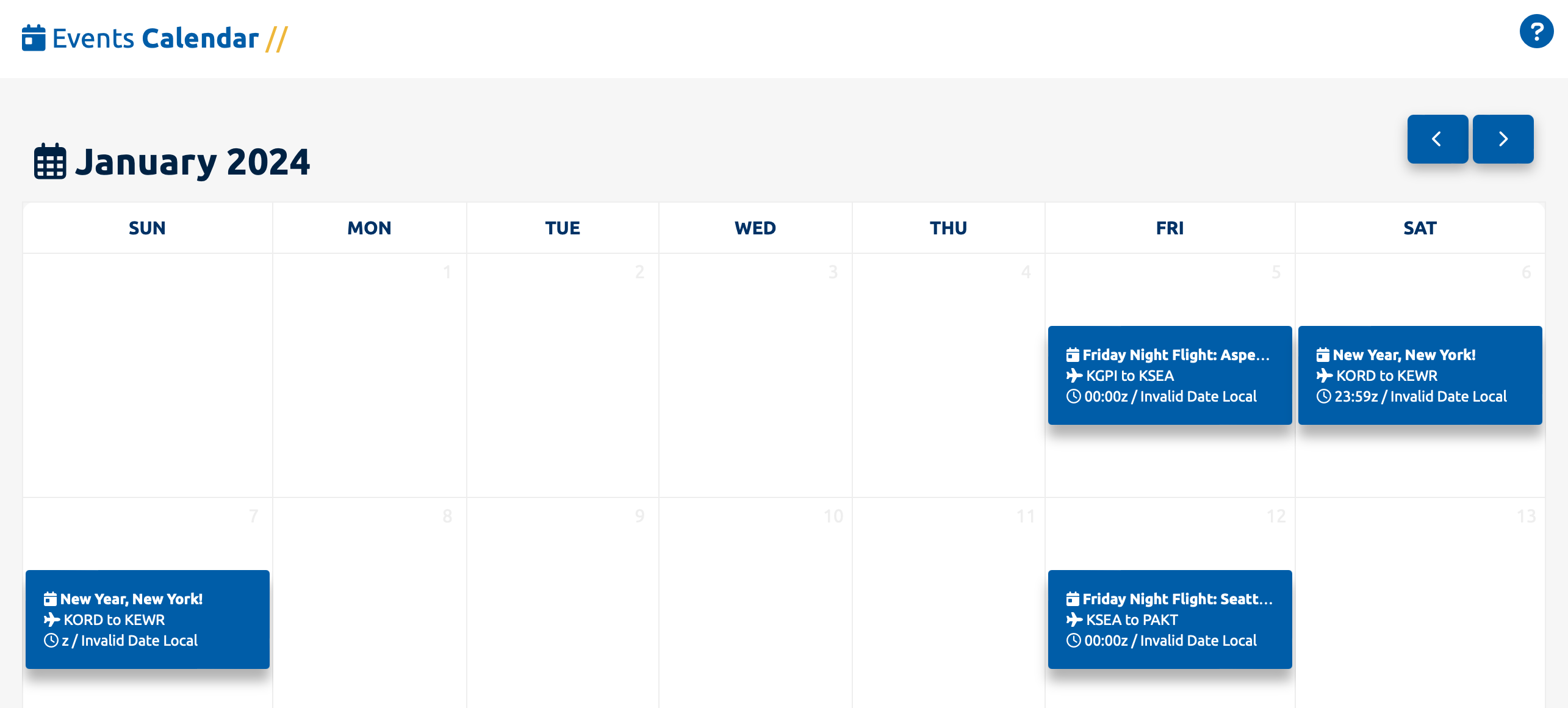
Delve into the specifics by clicking on an event, transporting you to its dedicated page.
Event Details
Completion
AfterTo clickingreceive oncredit for an event,event:
-
brought toFly the
detailscorrectpage for that event.route. -
-
ExploreEnsure it meets all listed event requirements.
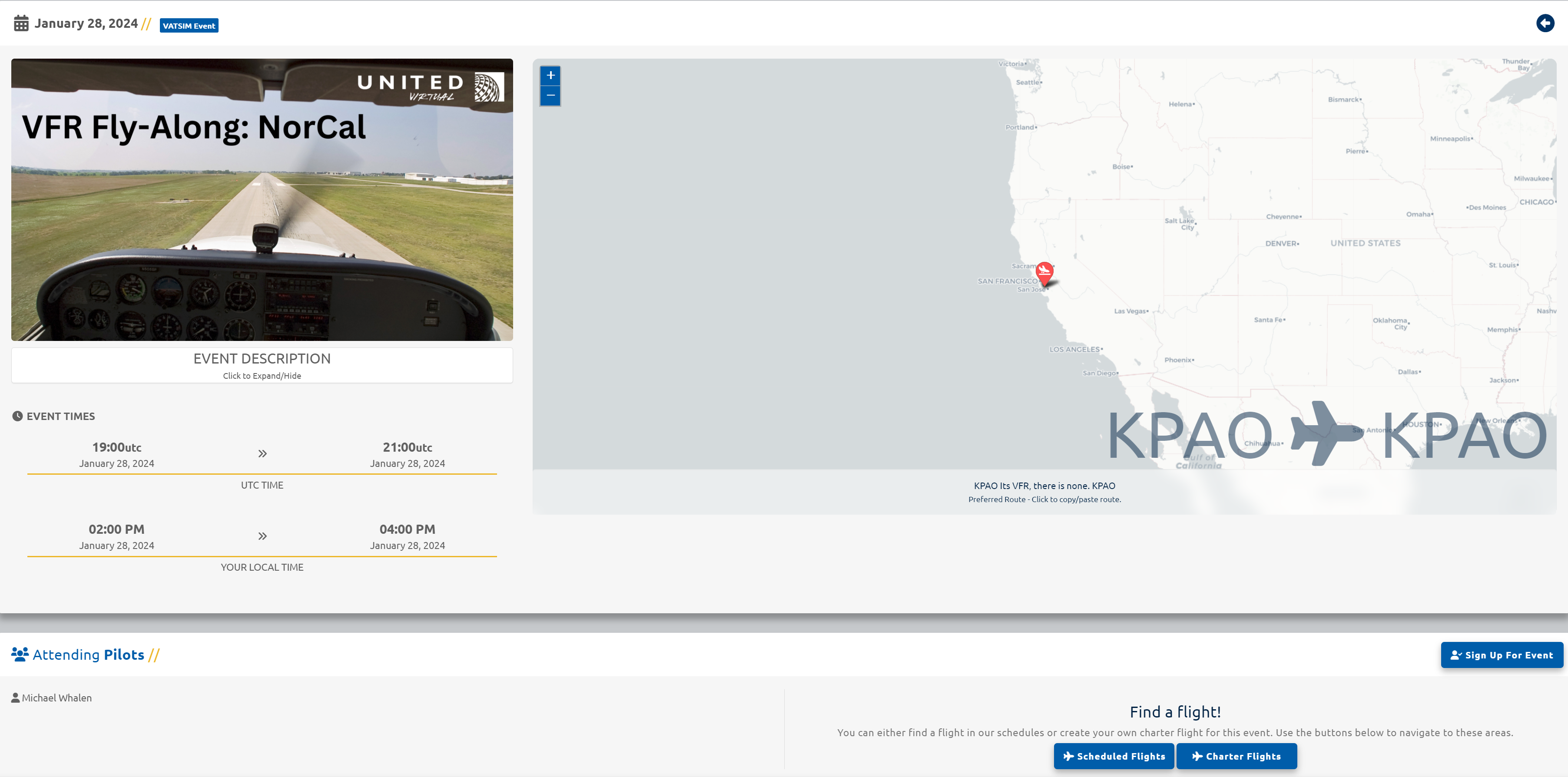
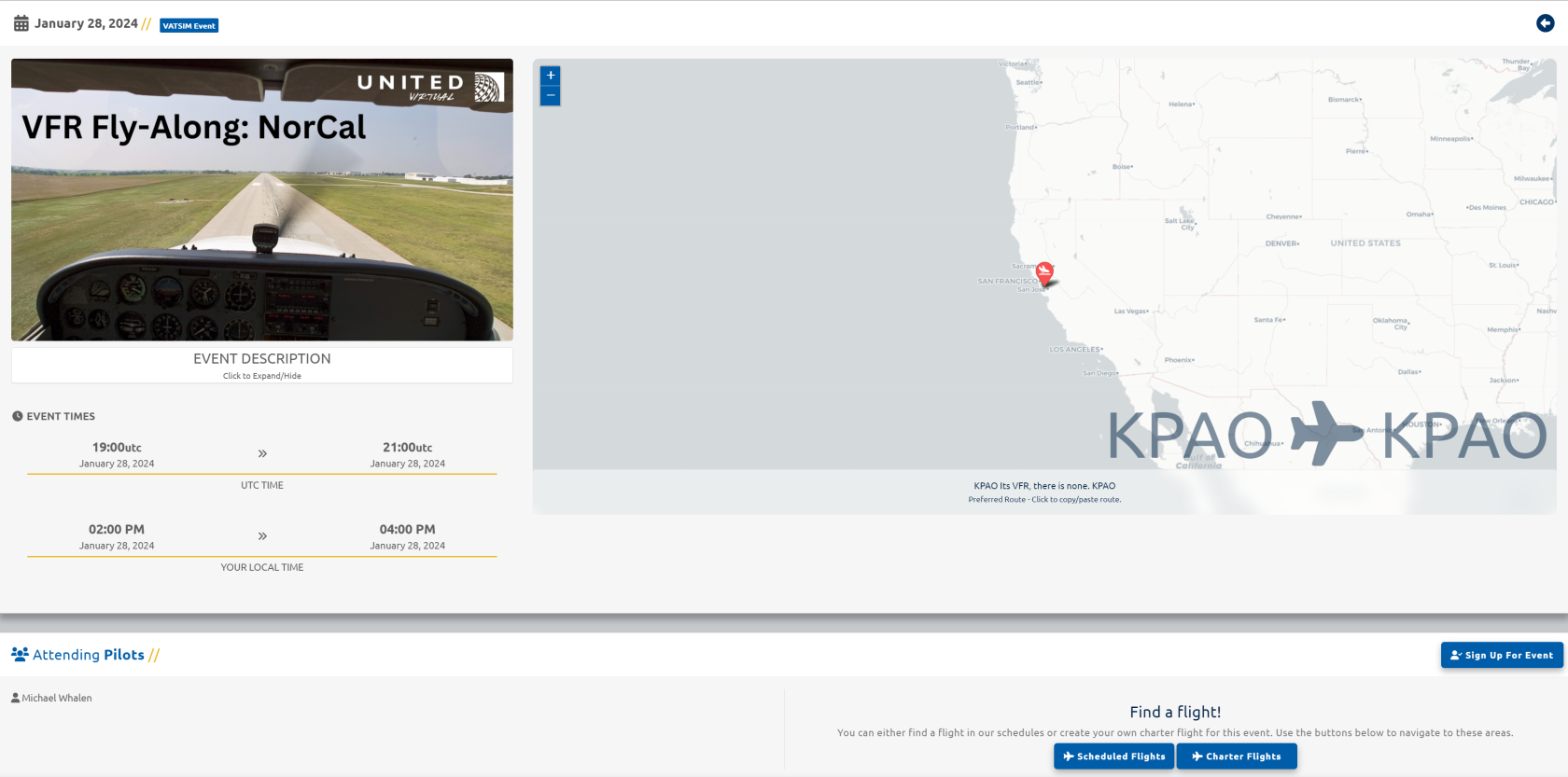
If the event description,includes depictedawards inor thebonus 'Eventpoints, Description' box, along with event times in both local and Zulu formats. The dynamic map showcases departure and arrival airports, providing a visual context for the event.
Local event timesthose are basedtypically onprocessed yourafter computersflight time. If viewing this page on a mobile device, the local time will show 'Not Available'. review.
EmbarkingWhy On The Event
Participate?
PrepareEvents forprovide:
-
participatingCommunity
inengagement -
Structured group flying
-
Real-world simulation experiences
-
Potential awards or recognition
-
Opportunities to fly unique routes
They are one of the eventbest onways ourto Discordconnect platform,with asother detailedUVA in our Events on Discord page. Find a suitable flight for the event by either perusing our scheduled flights database or creating a free flight using the designated buttons under 'Flight Ops'.
Remember, placing a flight into your bids is imperative for receiving creditpilots and acknowledgment for your active involvement in the event. Your commitment contributes to the vibrant community experience at United Virtual.staff.