Flight Search
What Is the Flight Search Page?
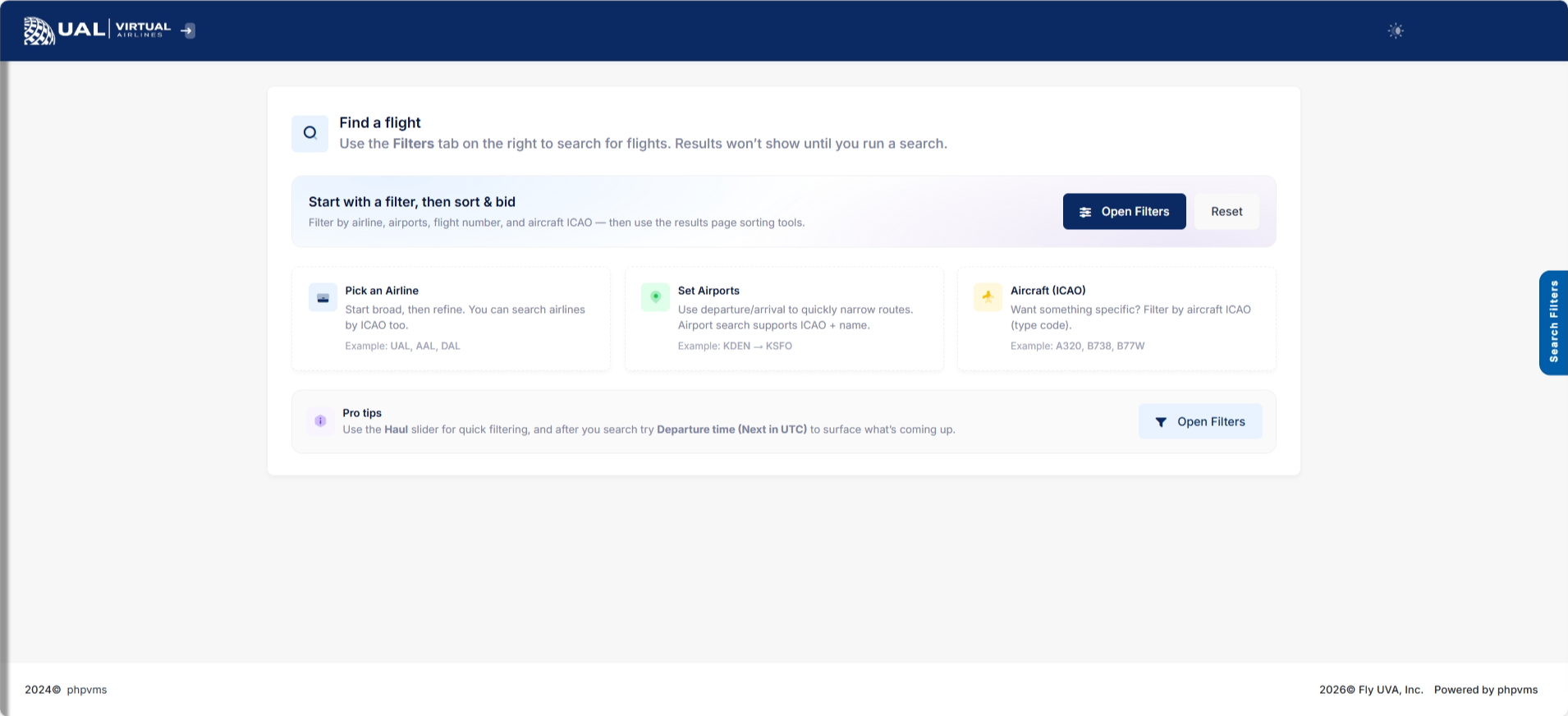
The Flight Search page allows you to browse and filter UVA’s published schedules.
This is where you select your next operational flight.
All scheduled flights listed here are part of the official UVA route structure.
Using the Search Filters
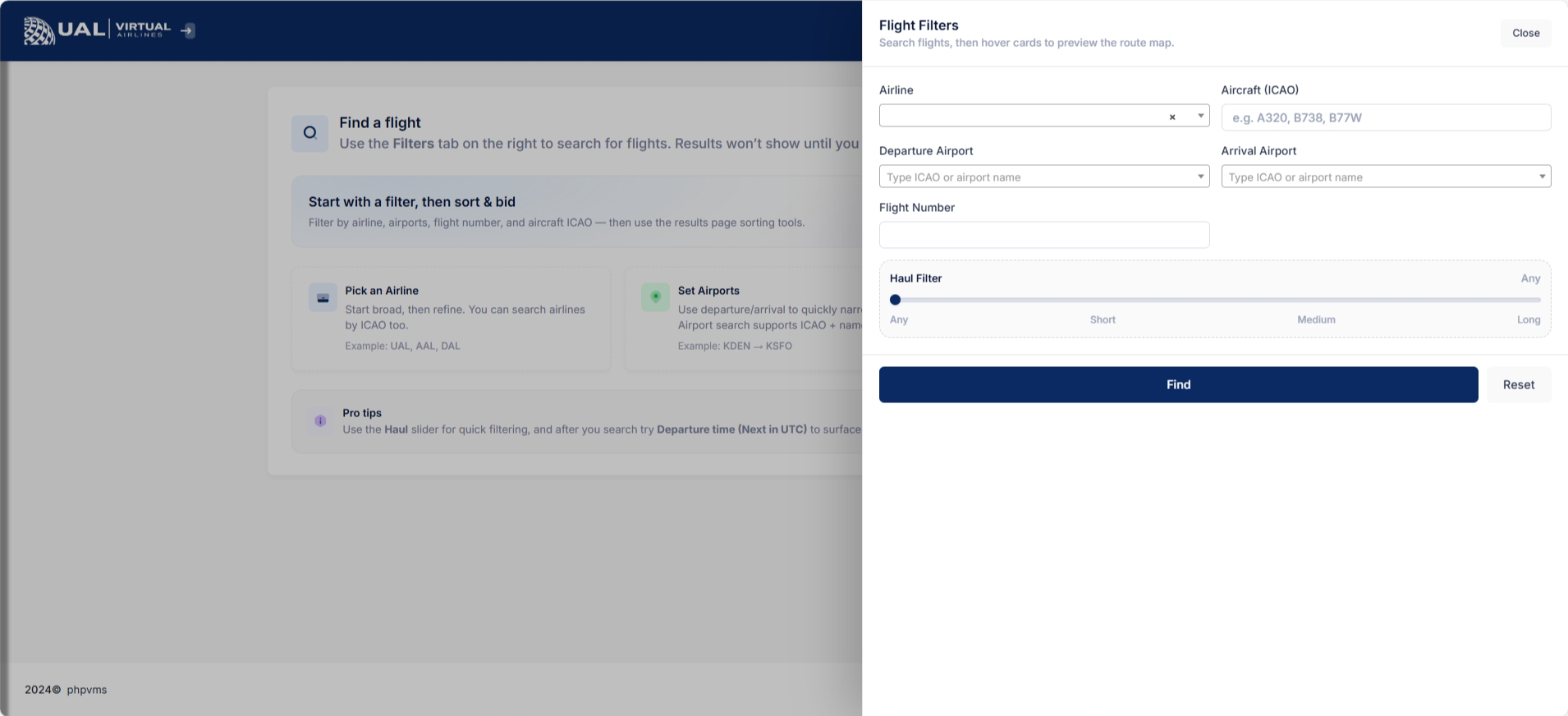
At the top of the page, you can narrow down results using search filters such as:
-
Airline
-
Aircraft / Subfleet
-
Departure Airport
-
Arrival Airport
-
Flight Number
-
Additional operational filters (if applicable)
Filters allow you to quickly locate routes that match your aircraft, hub, or preference.
You may use one or multiple filters at the same time.
Understanding the Results Table
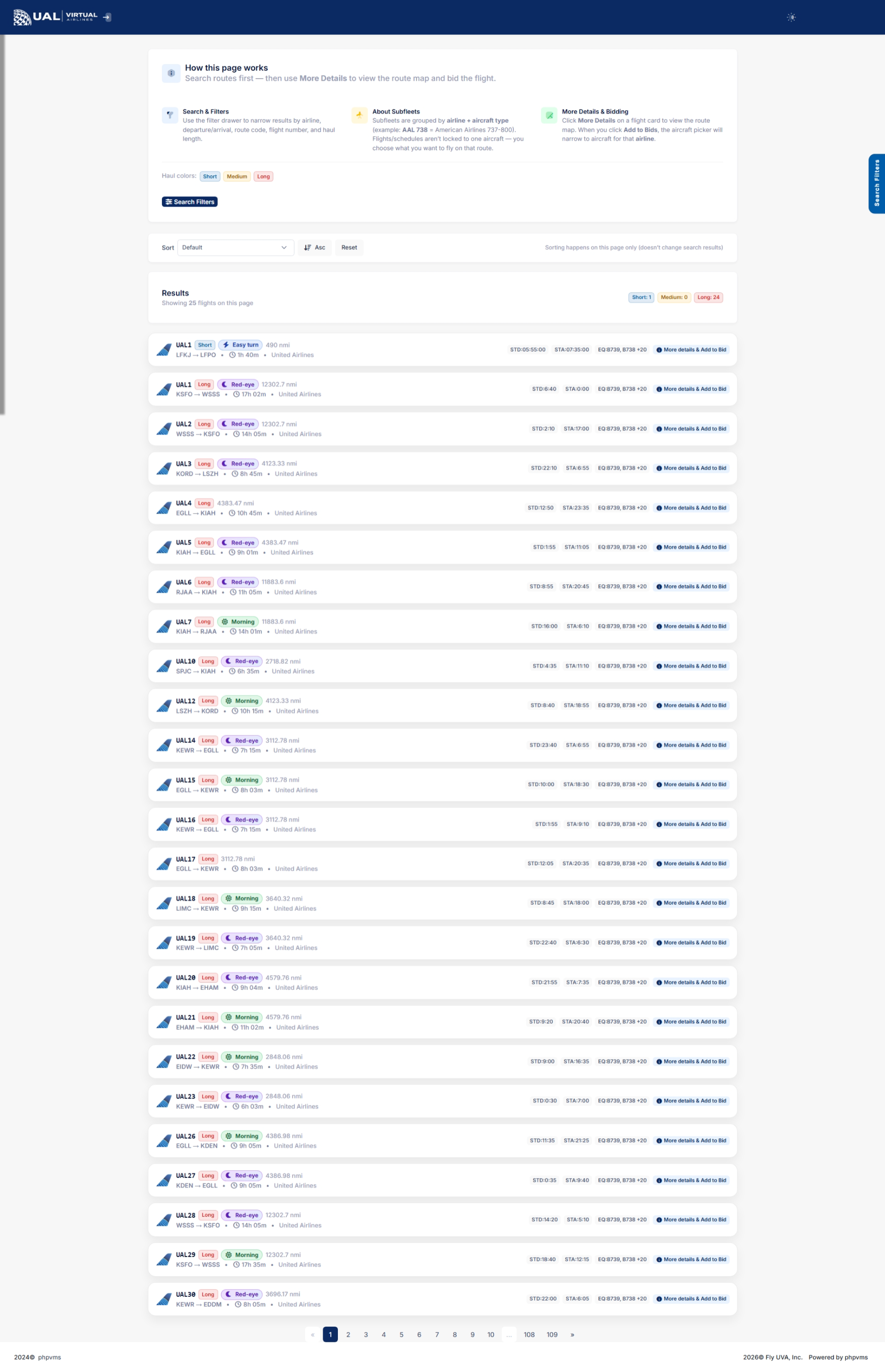
Search results display scheduled flights in a structured table.
Each row typically includes:
-
Airline
-
Flight Number
-
Departure Airport
-
Arrival Airport
-
Scheduled Departure / Arrival Time
-
Aircraft Type
-
Flight Time / Block Time
-
Additional operational details
These are real UVA schedule entries — not dynamically generated routes.
Viewing Flight Details
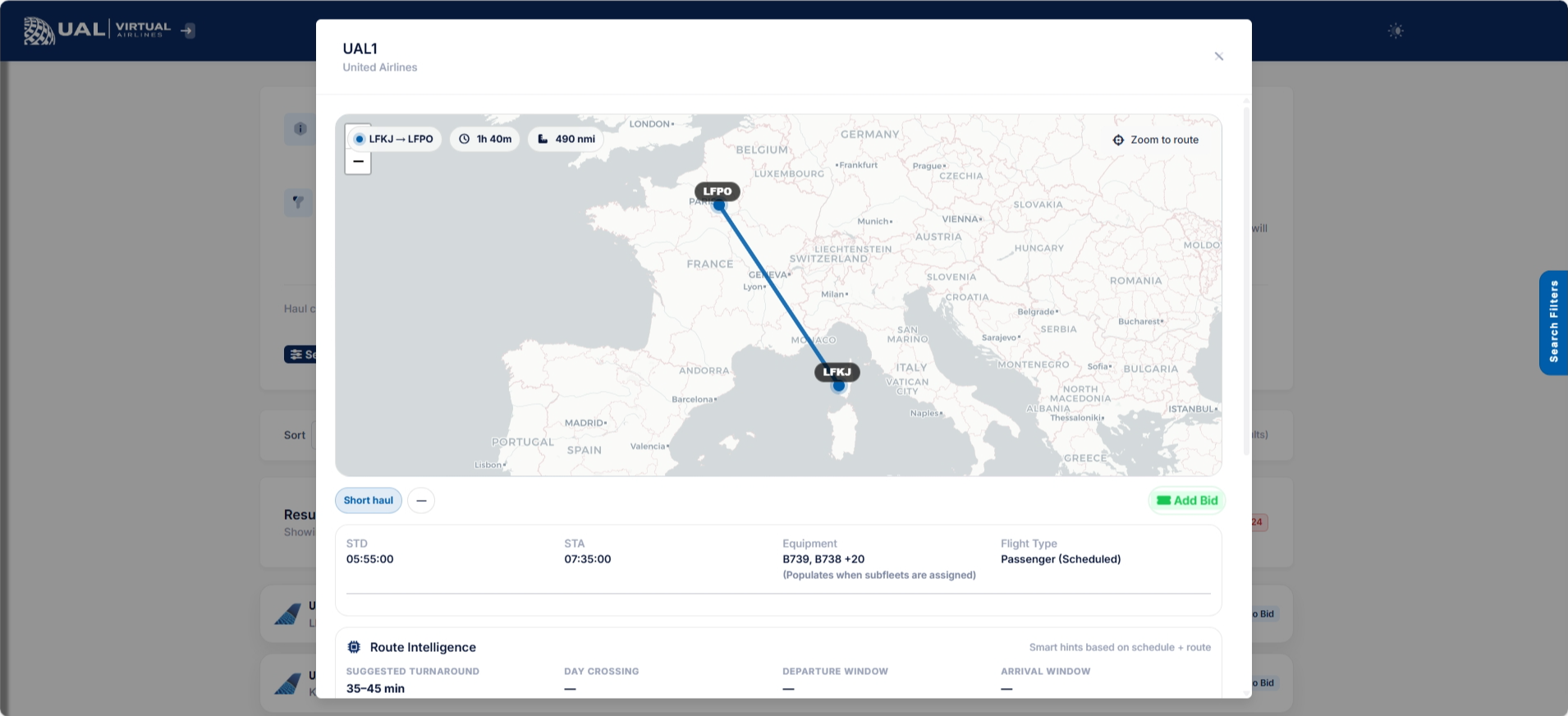
Selecting a flight opens the detailed Flight page.
On the Flight Details page, you will see:
-
Full route information
-
Aircraft assignment
-
Departure and arrival airports
-
Operational notes (if applicable)
-
Route map visualization
-
Dispatch options
This page confirms exactly what you are bidding.
Bidding a Flight
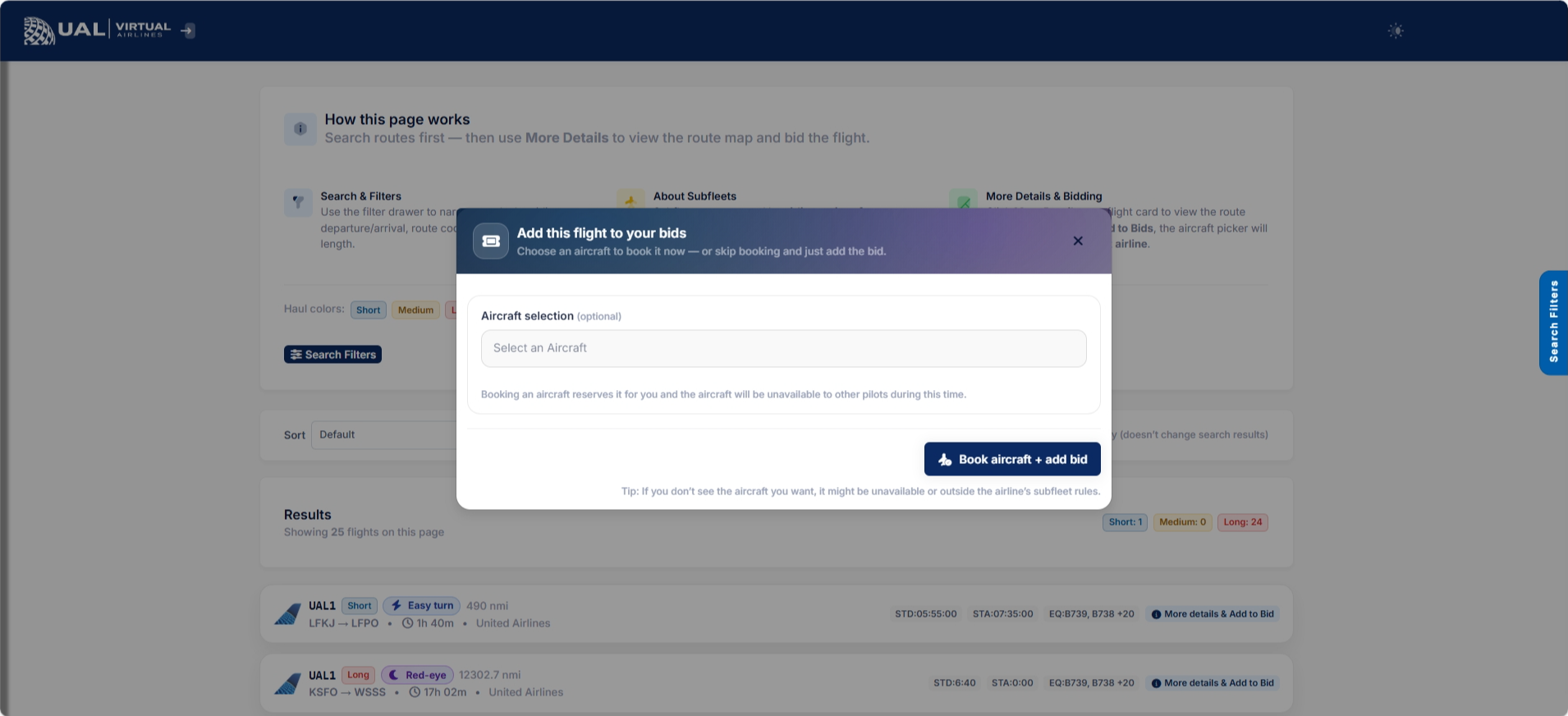
When you select a flight:
-
You may add it to your bids.
-
It becomes your active flight.
-
You cannot add another bid until the current one is completed or removed.
UVA enforces a one-active-bid policy.
If you already have a bid, you must remove it before selecting a new flight.
Route Map
The schedule system includes route mapping.
Maps display:
-
Departure airport
-
Arrival airport
-
Route visualization
This provides a visual overview of the flight before dispatch.
Operational Expectations
When selecting a scheduled flight:
-
Ensure you are flying the correct aircraft/subfleet.
-
Follow realistic routing procedures.
-
Comply with all AutoPIREP standards.
Scheduled flights are structured to reflect realistic airline operations.
After You Bid
Once a flight is added:
-
It appears on your My Bids page.
-
You may dispatch and fly it.
-
Submit your PIREP through smartCARS.
-
AutoPIREP will evaluate your flight.
Upon acceptance, your bid clears automatically.
Scheduled Flights vs Free Flights
Scheduled Flights:
-
Part of UVA’s official network.
-
Structured, realistic routes.
-
Often tied to Tours, Events, and Career Mode.
Free Flights:
-
Custom-created routes.
-
Designed for flexibility.
-
Not part of the published schedule network.